 Watch bigger
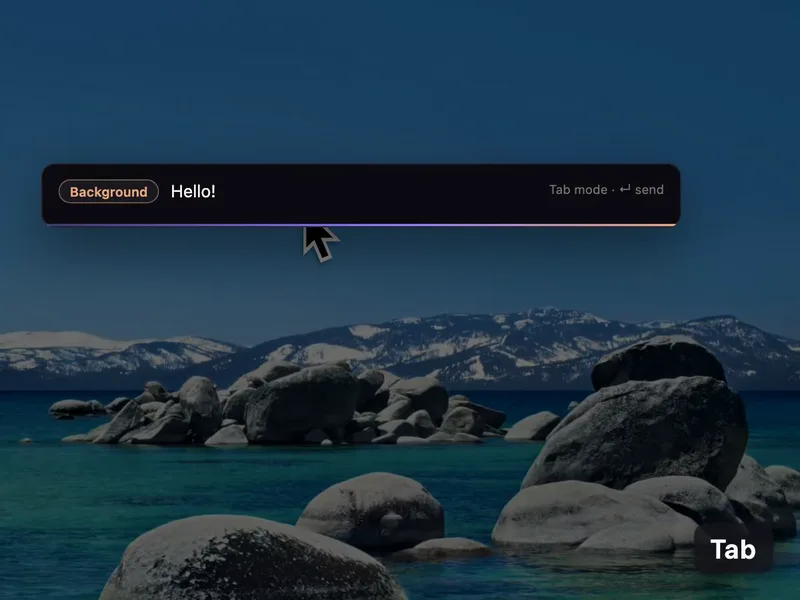
Double-tap Shift to ask
A small ask bar appears over any app and captures your screen as it opens. Or press your hotkey and just talk.
Silk lives on your computer. It sees your screen, talks with you, draws on your screen to explain things, and goes off and does the actual work in your apps, your browser and your files. It runs on the AI plan you already pay for.
Free for a day, then $9 a month. Sign in with your ChatGPT or Claude plan, or bring an OpenRouter key and run any model you like. Installs on three computers.
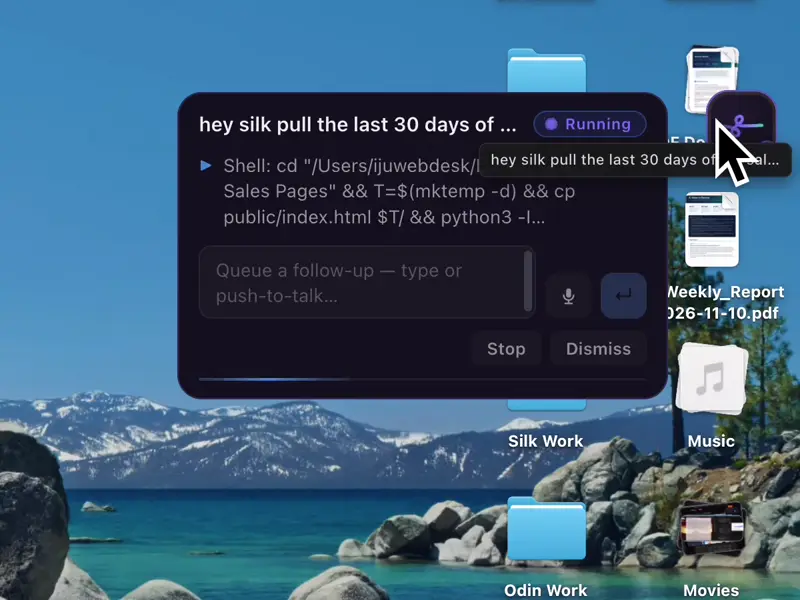
Ask for the report, the spreadsheet, the research or the upload, then go back to what you were doing. Each job gets its own card with a live plan, and the finished file lands in your folder with Open and Show in Finder buttons.
 Watch bigger
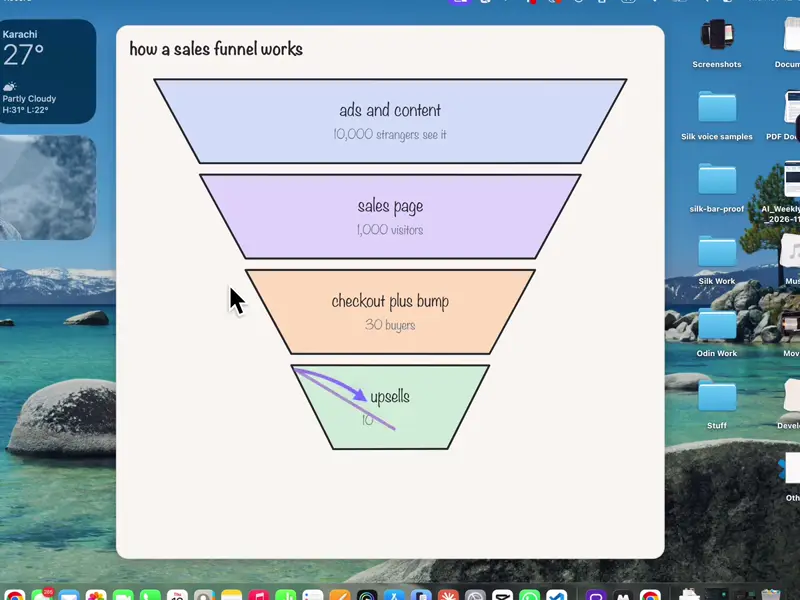
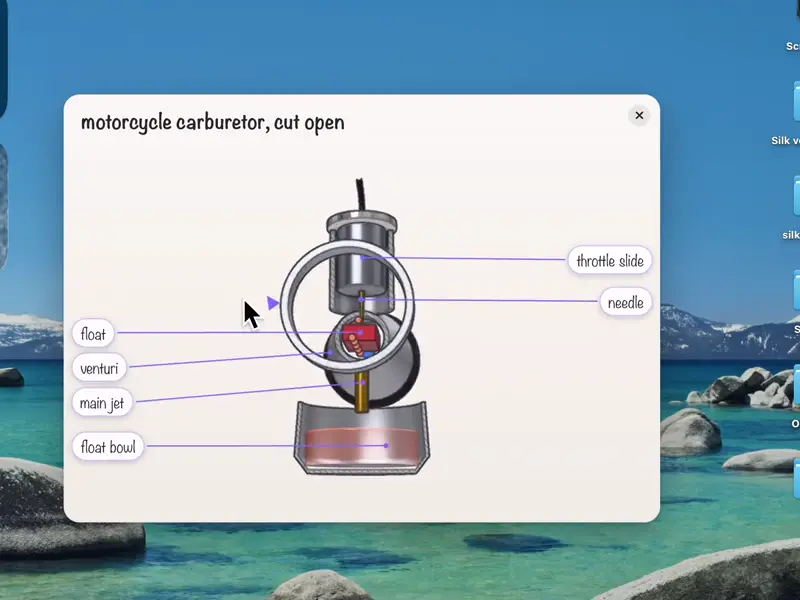
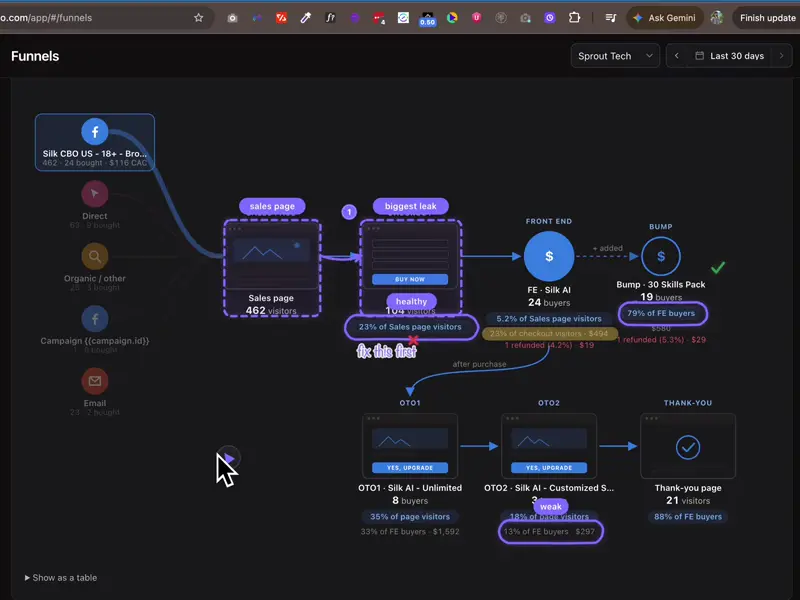
Silk looks at your actual screen and answers out loud, circling the button, drawing the arrows, sketching the flow chart or building a 3D model part by part that you can turn and zoom. It’s like having someone sit next to you.
 Watch bigger
 Watch bigger
 Watch bigger
Tap the clip to watch it full size.
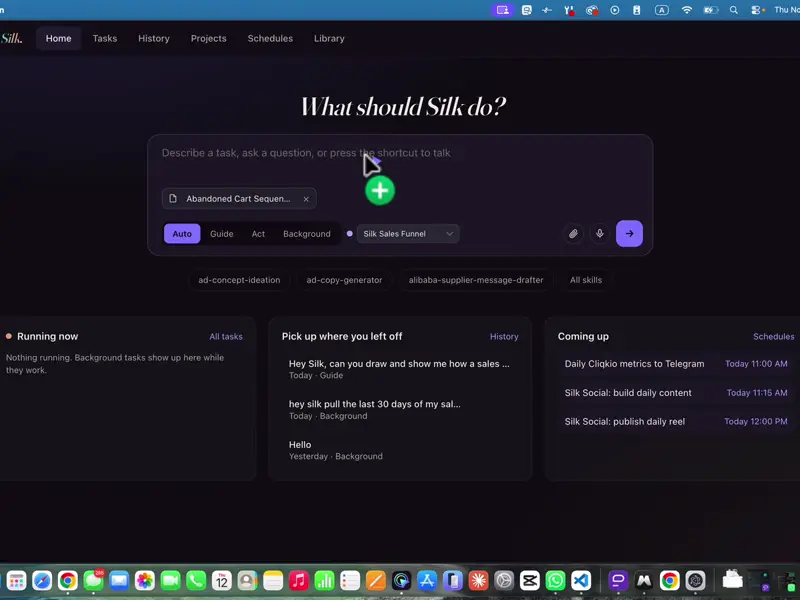
Silk lives in your menu bar or tray, and it also opens as a full app: Home, Chat, Tasks, History, Projects, Schedules, Library and Settings. Start a job, see what’s running and pick up where you left off.
 Watch bigger
The short clips come from real screen recordings of Silk doing the work. Tap any clip to watch it full size.
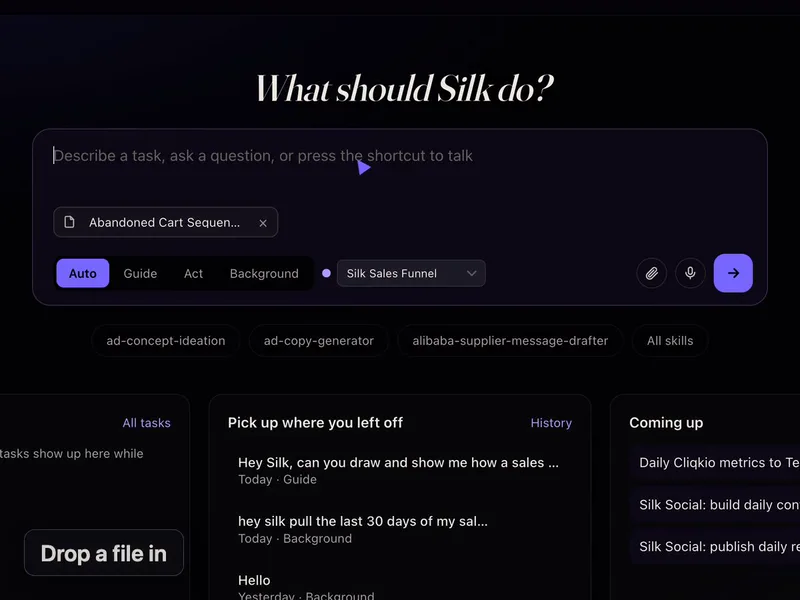
Watch bigger A small ask bar appears over any app and captures your screen as it opens. Or press your hotkey and just talk.
 Watch bigger
Drag files in, or copy and paste them, into any chat box. Silk can also upload files to websites like YouTube, Drive and forms for you.
 Watch bigger
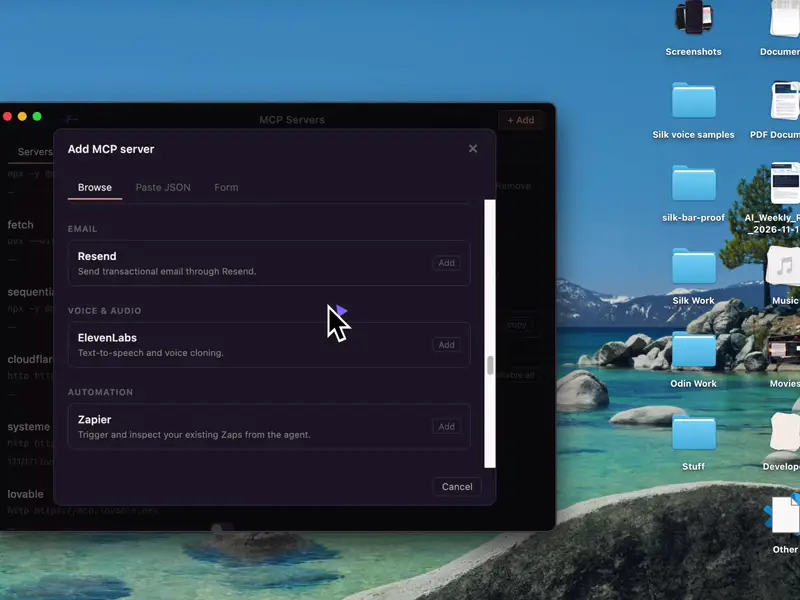
Notion, Slack, GitHub, HubSpot, Stripe, Airtable, Canva, Systeme.io, GoHighLevel, Meta Ads, Zapier and more. Or add any MCP server.
 Watch bigger
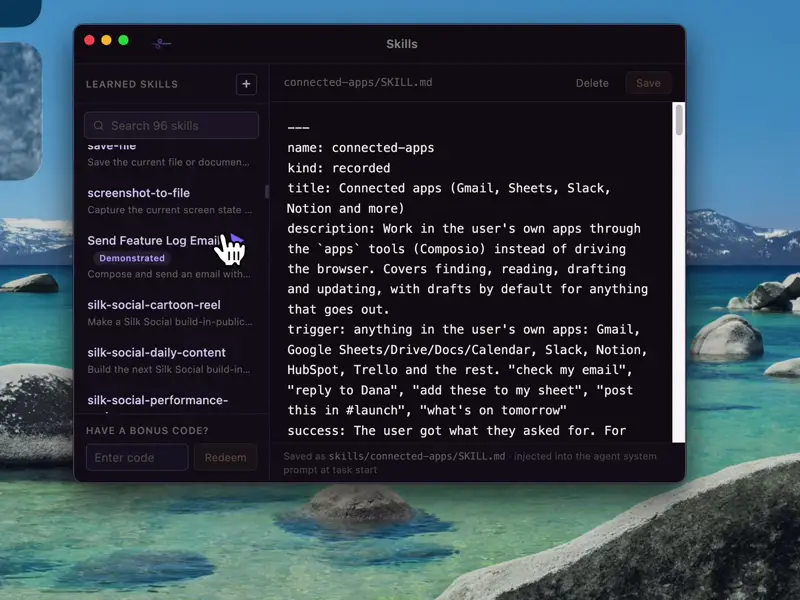
Newsletters, cold emails, invoices, receipts, lead lists, captions, YouTube kits and more. Ask for a new skill and Silk writes it.
 Watch bigger
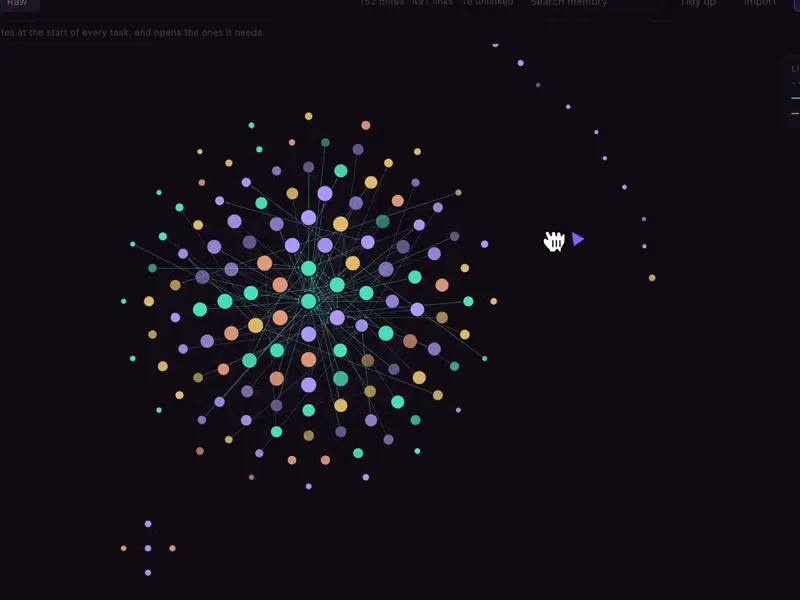
It remembers your preferences, folders and accounts as a linked note graph you can browse and edit. Import what ChatGPT or Claude already knows.
 Watch bigger
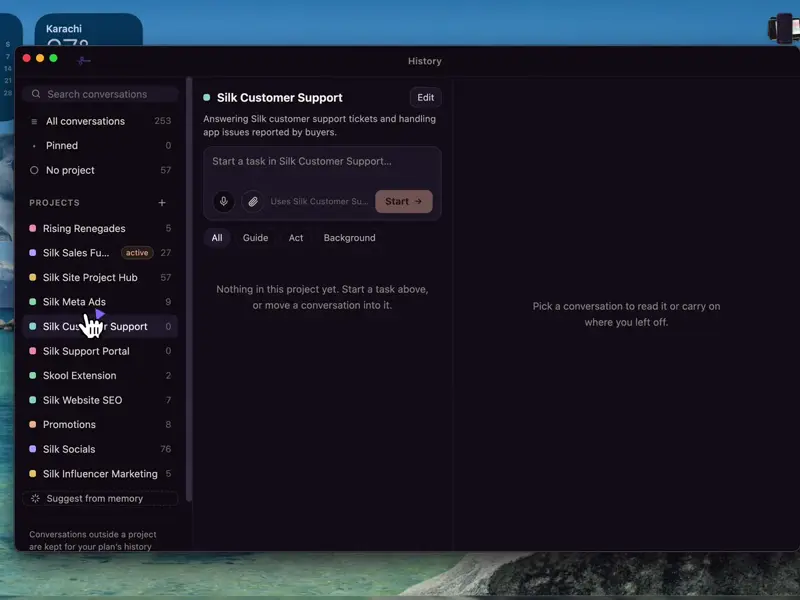
Group work into projects with their own instructions and folder. Open any old conversation, type a follow-up, and it carries on.
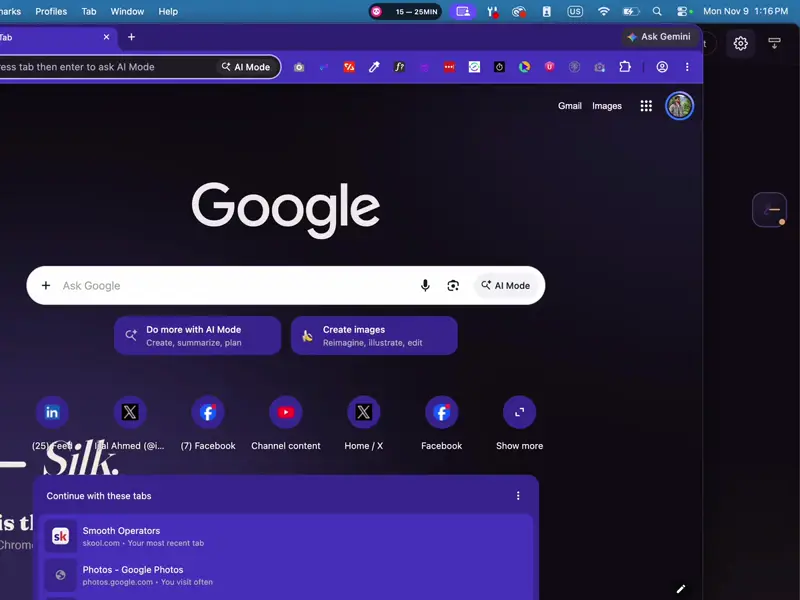 Watch bigger
Agents work in Chrome on a separate Silk profile, so your saved logins and passkeys work. When a site needs a password, Silk hands it to you.
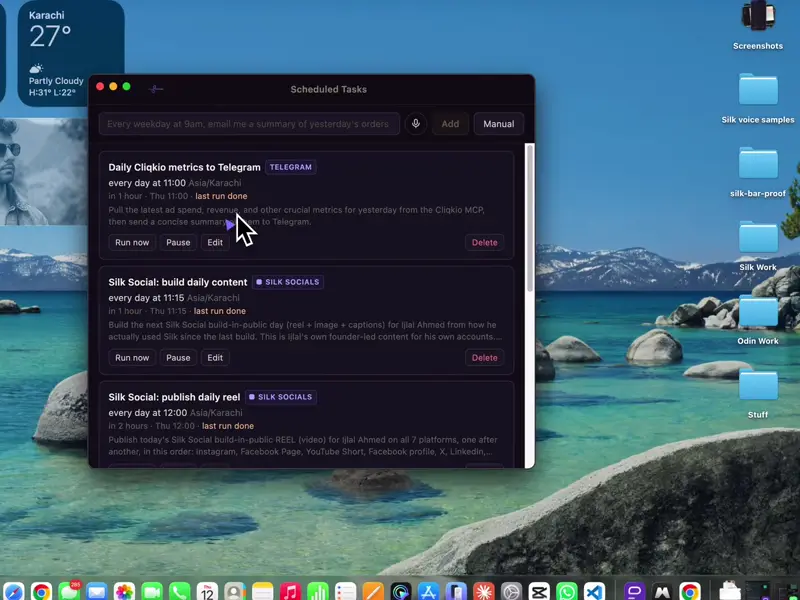 Watch bigger
Say “every weekday at 9, email me the orders” and it’s set. Jobs run on time while your computer is on and Silk is open.
Keep it. Silk is the hands.
ChatGPT gives you the answer. Silk does the job. Ask a chat for a lead-magnet ebook and you get a wall of text you still have to format, design, export and upload. Ask Silk and you get a branded PDF in your folder and the lead-magnet slot in your funnel filled in. Everything you normally do after the answer is what Silk does for you.
2,400 words in a chat. Now copy it out, format it, design a cover, export a PDF, upload it to your funnel.
LLC-Formation-Guide.pdf saved to your Work folder. Branded cover. Uploaded to your funnel as the lead magnet. You were on a call.
WordPress, your email, your spreadsheets, your video editor, your funnel builder. The real ones, logged in, on your computer.
The result is a file in a folder or a post that’s live. Not a message you have to do something with.
Hand it an hour of work and go. Schedule a job and it runs at 7am every day while your computer is on.
Silk uses Claude or GPT as the brain, through the ChatGPT or Claude plan you already pay for, or your own OpenRouter key. You’re not replacing your chat. You’re giving it hands.
Every one of these ends the same way: a finished file in your folder, or a page that’s live.
Real completion messages from real runs, trimmed for length. This is the card Silk leaves when a job is tied off.
Comments left inside the app by people using Silk on their own work.
“This is going to be a huge help in managing my mail. It sometimes takes me half a day to go through it all. Silk is making it a lot easier.”
“Finally was able to do a simple click test on a page. Open the page by itself, scroll down by itself and click the link by itself. Very well done.”
“So far I am really happy with Silk. I have requested multiple 30-second videos to post to social media of my music. Thank you so much for creating Silk!”
“Starting to see the amazing potential. Thanks guys.”
“Ease of use and outcomes.”
“I really like working with Silk.”
“This is awesome.”
“Totally great.”
Solo marketers. Affiliate and agency operators. Newsletter publishers. Course sellers. People with the ideas and the clients and not the hours. Silk takes the jobs that eat the week: the content, the site, the spreadsheets, the posting, the lists.
If what you want is a chatbot, keep the one you have. Silk is for getting things made.
Sign in with your ChatGPT or Claude plan, or use one OpenRouter key to run Claude, GPT, Gemini or anything else. Switch in one setting. Silk is the hands, the brain is yours to choose.
Your screen, your voice and Silk’s memory stay on your machine. The only thing that leaves is what you send to the model you picked.
Tell Silk about your brand, your clients and your folders once. It keeps that across restarts and uses it in every job.
You need one of them. If you pay for ChatGPT, or for Claude Pro or Max, sign in and Silk runs on your plan at no extra cost. Otherwise, add an OpenRouter key to run Claude, GPT or whichever model you pick, billed by usage, so you pay for what actually runs.
Silk is $9 a month. On your ChatGPT or Claude plan, model usage is already covered. With OpenRouter, usage is billed on top: a background job costs about 1 to 3 cents in our benchmark, and a Guide question a fraction of a cent.
Both. One plan installs on up to three computers.
Yes. Background jobs run until they’re done and keep the computer awake while they work. Scheduled jobs fire on time as long as your computer is on and Silk is open. Set Silk to start at login and you can forget about it.
Anything it can’t undo waits for you to confirm. You can watch any job as it runs and stop it at any point.
Your screen, voice and memory stay on your machine. What you send to the model goes to OpenAI under your ChatGPT account, to Anthropic under your Claude account, or through OpenRouter under your own key. Silk doesn’t see it.
Your first day is free. Your card is charged $9 after 24 hours, then monthly. If Silk isn’t for you, cancel before then and you pay nothing. After that you can cancel any time.
Install takes a few minutes. Hand Silk the thing you’ve been putting off and see what’s in your folder in the morning.
Mac and Windows · First day free, then $9 a month · Cancel anytime