
What is Silk? The desktop AI agent for Mac and Windows, explained
Silk is an AI agent that runs on your Mac or Windows computer, works inside your real apps and saves the finished file to your folder. Every feature, explained.
By Ijlal Ahmed · · Updated
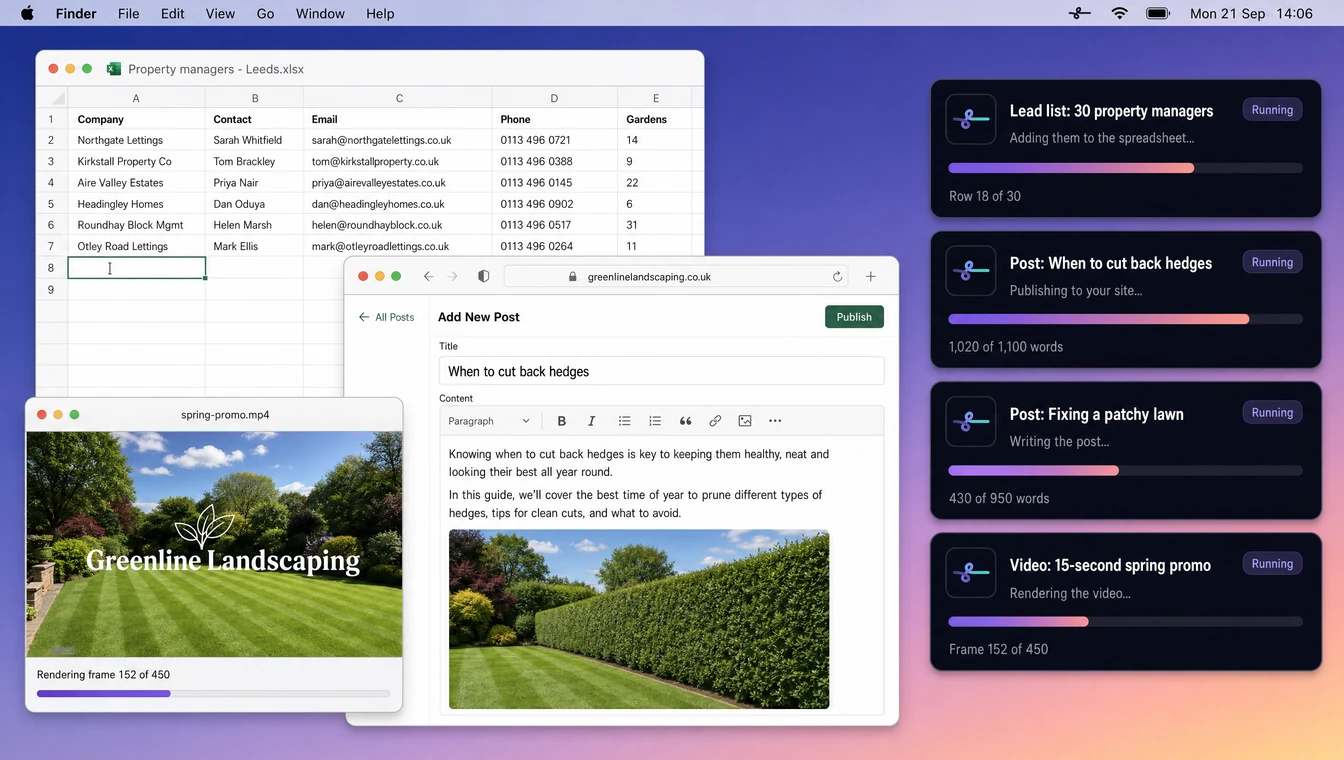
Silk is a desktop AI agent for Mac and Windows. You tell it a job in plain words, out loud or typed. It does the work on your own computer, inside the apps you already use, and saves the finished file to your folder. It was built for solo entrepreneurs: the person who is the whole team.
Silk was called Odin AI until September 2026. Same team, same app, new name.
Silk in one sentence
ChatGPT gives you the answer. Silk does the job.
Ask a chat window for a lead-magnet ebook and you get a wall of text. You still have to copy it out, format it, design a cover, export a PDF and upload it to your funnel. Ask Silk and you get Credit-Restoration-Guide.pdf in your Work folder with your branding on it, and the lead-magnet slot in your funnel already filled in.
That difference, a reply versus a finished file, is the whole idea. Everything below is how Silk gets there.
How a job gets done
- Say it, or type it. Press the shortcut and talk, or type in the bar. Plain words, no prompt-writing. You can also send it from your phone.
- Silk works on your computer. It reads the screen, opens the apps, uses your files and logged-in accounts, and does the steps. A live card shows what it is doing.
- You get the result. The file lands in your Work folder, or the page goes live, and Silk leaves a short note saying what it made and where it put it.
Three ways to work with Silk
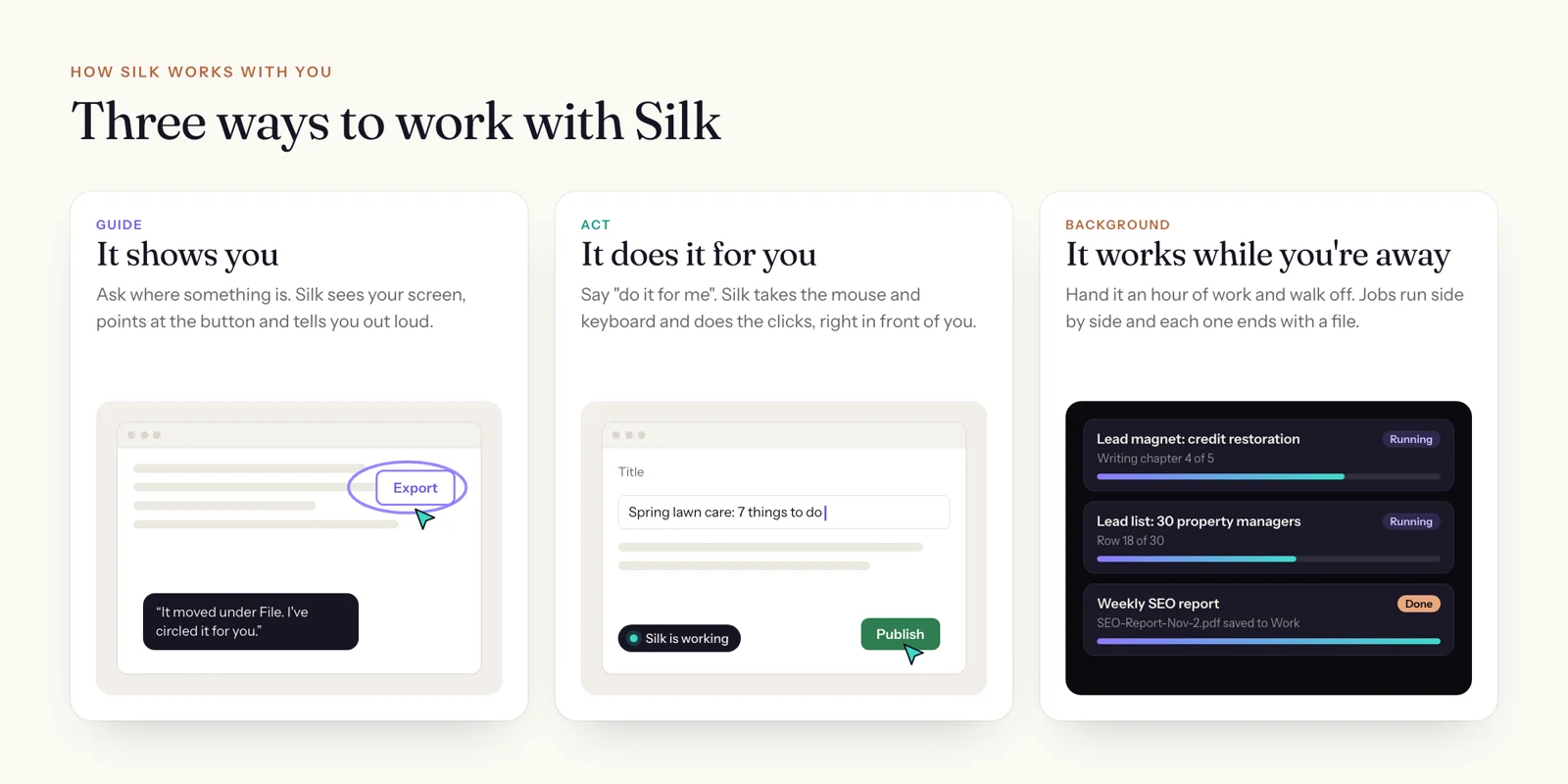
- Guide: it shows you. Ask “where did the export go?” and Silk looks at your screen, points at the exact button and tells you out loud. Nothing gets clicked.
- Act: it does it for you. Say “do it for me” and Silk takes the mouse and keyboard and does the clicks while you watch.
- Background: it works while you’re away. Hand it an hour of work and walk off. Several jobs can run side by side, and each one ends with a file.
On Auto, the default, Silk reads each request and chooses the right mode. “How do I…” gets a guide. “Make me…” gets a job.
What Silk can do
Do whole jobs in the background
Background jobs are where most of the time comes back. Silk plans the work, opens what it needs and keeps going until the job is finished: a 14-page branded PDF, a merged and categorised spreadsheet, a week of social posts written and scheduled, a lead list with verified contacts, a blog post published to your site.
For web work it opens its own browser window that already carries your logins. If a site needs a password or a code only you can give, Silk brings the window forward with an “I’m signed in” button and carries on once you’re through. It never asks you to type a password into a chat.
These are real completion notes from Silk users, trimmed for length:
- “3 new pillar blog posts (9,529 words) created and scheduled. All 9 core pages optimised with metadata.”
- “Removed 706 duplicate messages from your LOAN POSTS folder in Mac Mail.”
- “Combined all 5 CSV exports into a categorised Statement Sorter. 370 transactions across 6 sheets. Ambiguous items flagged.”
Work inside your real apps
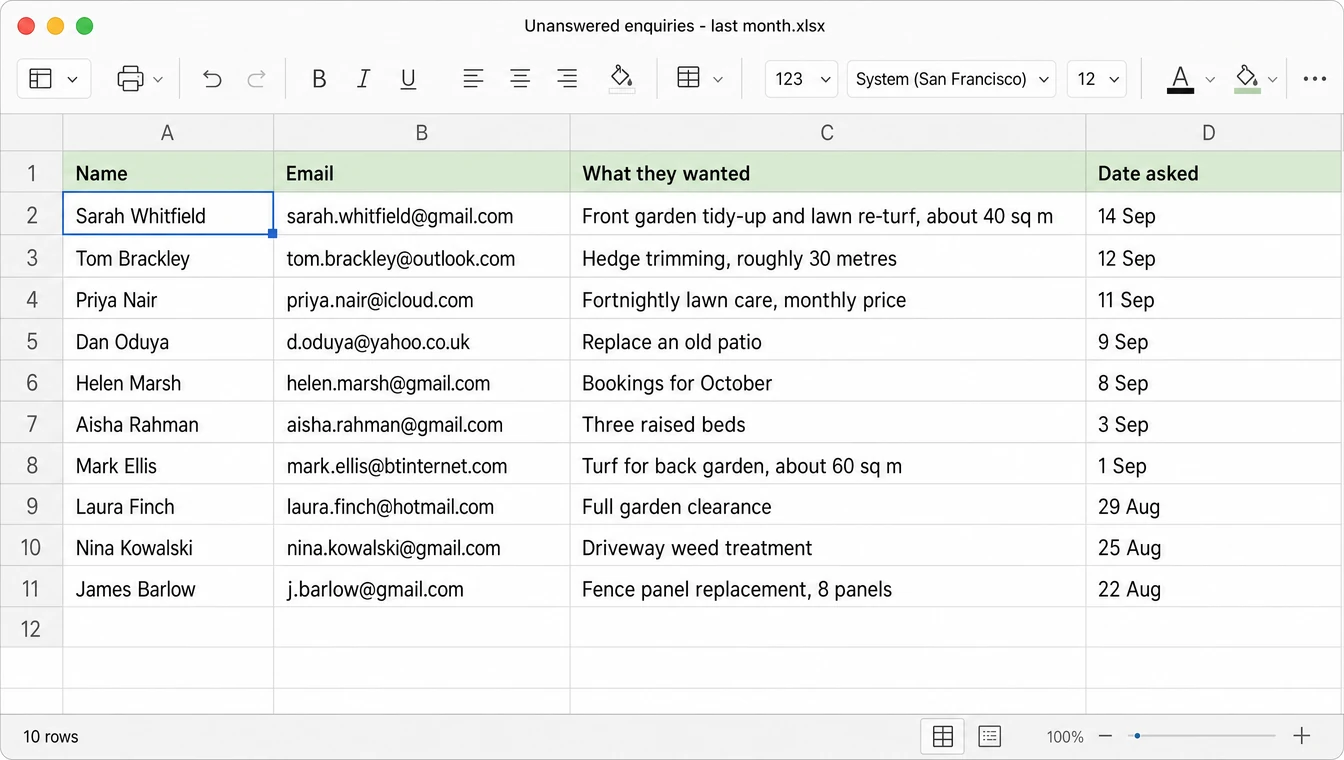
Silk does not ask you to move your business into a new tool. It works in the ones you have: WordPress, your email, Excel or Google Sheets, your funnel builder, Canva-style design tools, your browser, Finder or File Explorer. The real apps, logged in, on your computer.
For apps with a direct connection, Silk can skip the screen entirely. It supports MCP servers, the open standard for connecting AI to apps, with ready-made presets for GoHighLevel, Notion and ClickDesigns, and you can add any other MCP server you use.
Show you where to click, and draw it on screen
Guide mode is how people learn software they have never opened before without leaving it. Silk sees what you see, so the answer matches your screen, not a tutorial from three versions ago.
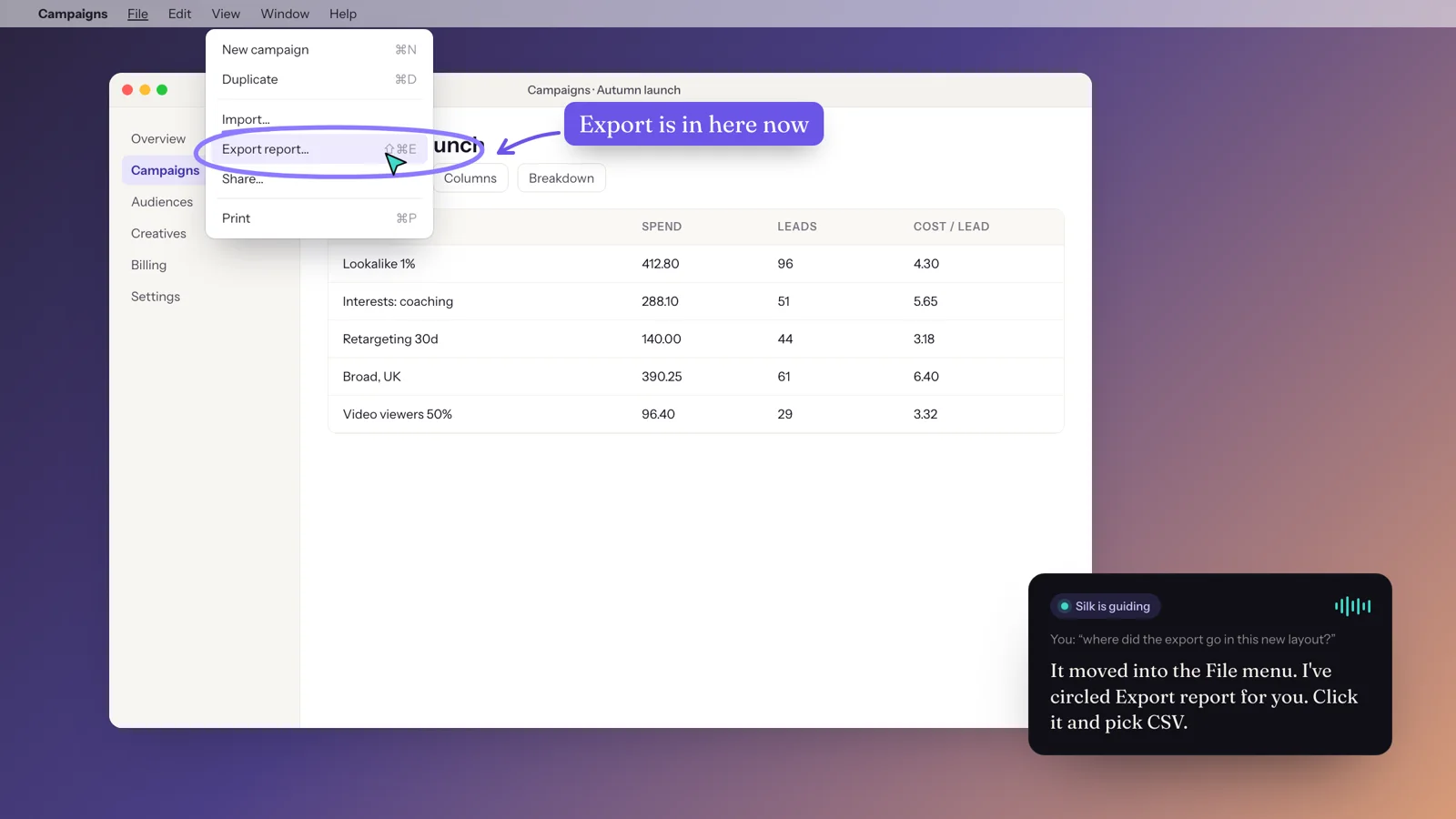
Since October 2026 Silk can also draw on your screen in 2D and 3D, paced to its voice. It circles the button it means, adds arrows and labels, and when you ask how something physical works, from a bridge to a camera lens, it sketches an illustrated 3D diagram right over your desktop.
Run jobs on a schedule
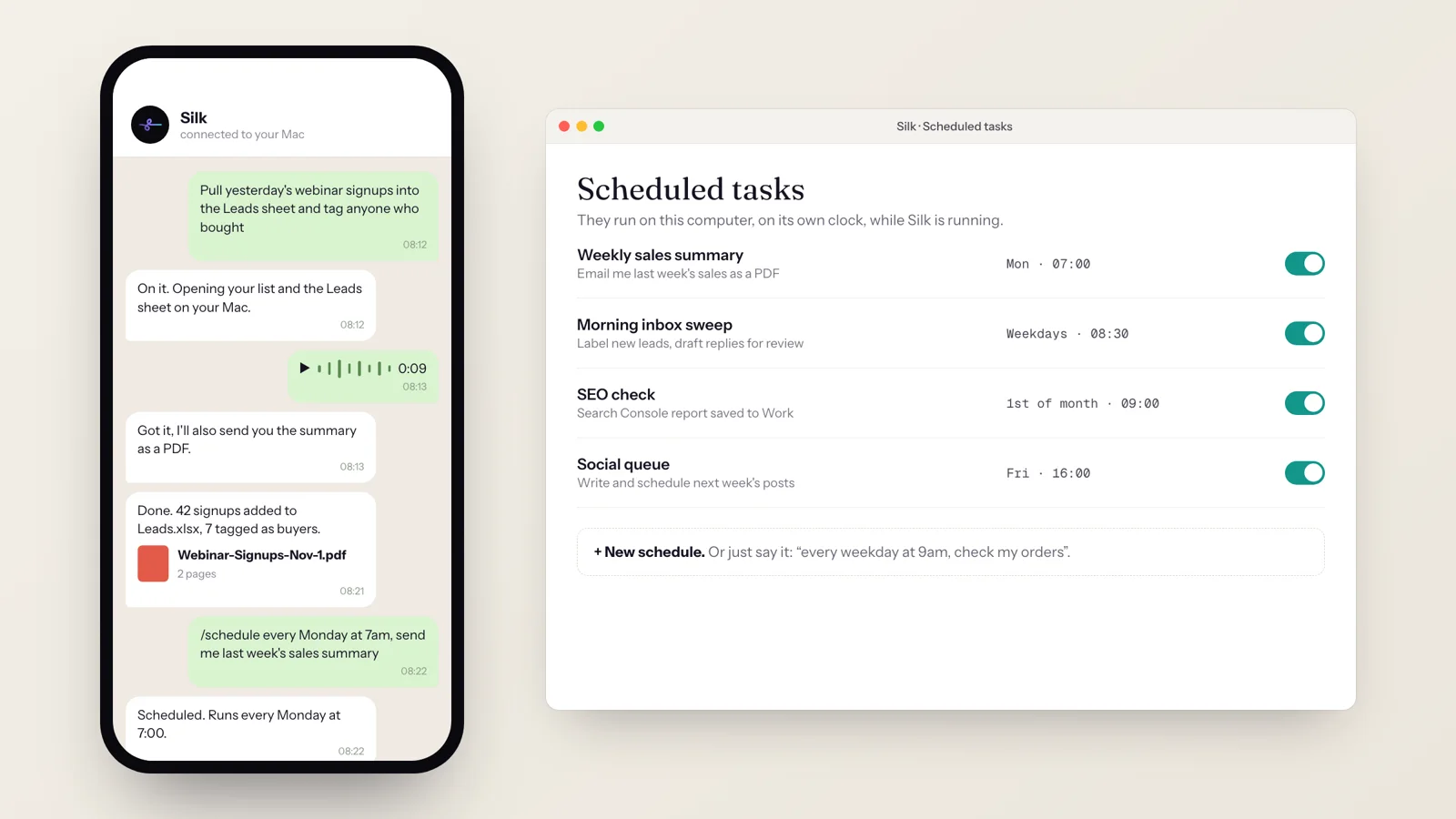
Tell Silk “every Monday at 7am, send me last week’s sales summary” and it becomes a scheduled task. Schedules can be daily, weekly, monthly, every few hours, or a one-off at a set time. You can create them by voice, in the Scheduled Tasks window, or from Telegram with /schedule.
Schedules run on your own computer, on its own clock, while Silk is running. Turn on Start at login and they survive restarts.
Take jobs from your phone
Pair Silk with Telegram using a six-digit code and you can send it work from anywhere: typed tasks, files and voice notes. It replies in the chat and sends the finished file back. In a group chat, start a task with /do.
Remember your business
Tell Silk about your brand, your clients, your folders and how you like things done, once. It keeps those facts as a set of linked notes and pulls in the right ones for each job, so the fifth ebook comes out in your colours without you repeating yourself.
You can see and edit everything it remembers in the Memory window, including a graph view of how the notes connect. If you have spent months teaching ChatGPT or Claude about your business, you can import that memory into Silk, review it line by line, and let Silk tidy it into notes.
Learn your workflows as skills
Skills are saved workflows Silk can repeat. It ships with a library of them, and you can add your own three ways:
- Ask for one. Describe the workflow and Silk writes the skill.
- Save a run. When a job turns out exactly right, click “Save as skill”. Silk turns that run into a reusable workflow that adapts when the details change.
- Teach it. Turn on Teach mode, do the task by hand once, and Silk watches and writes the skill for you. Passwords are never recorded.
Suggest what to hand over next
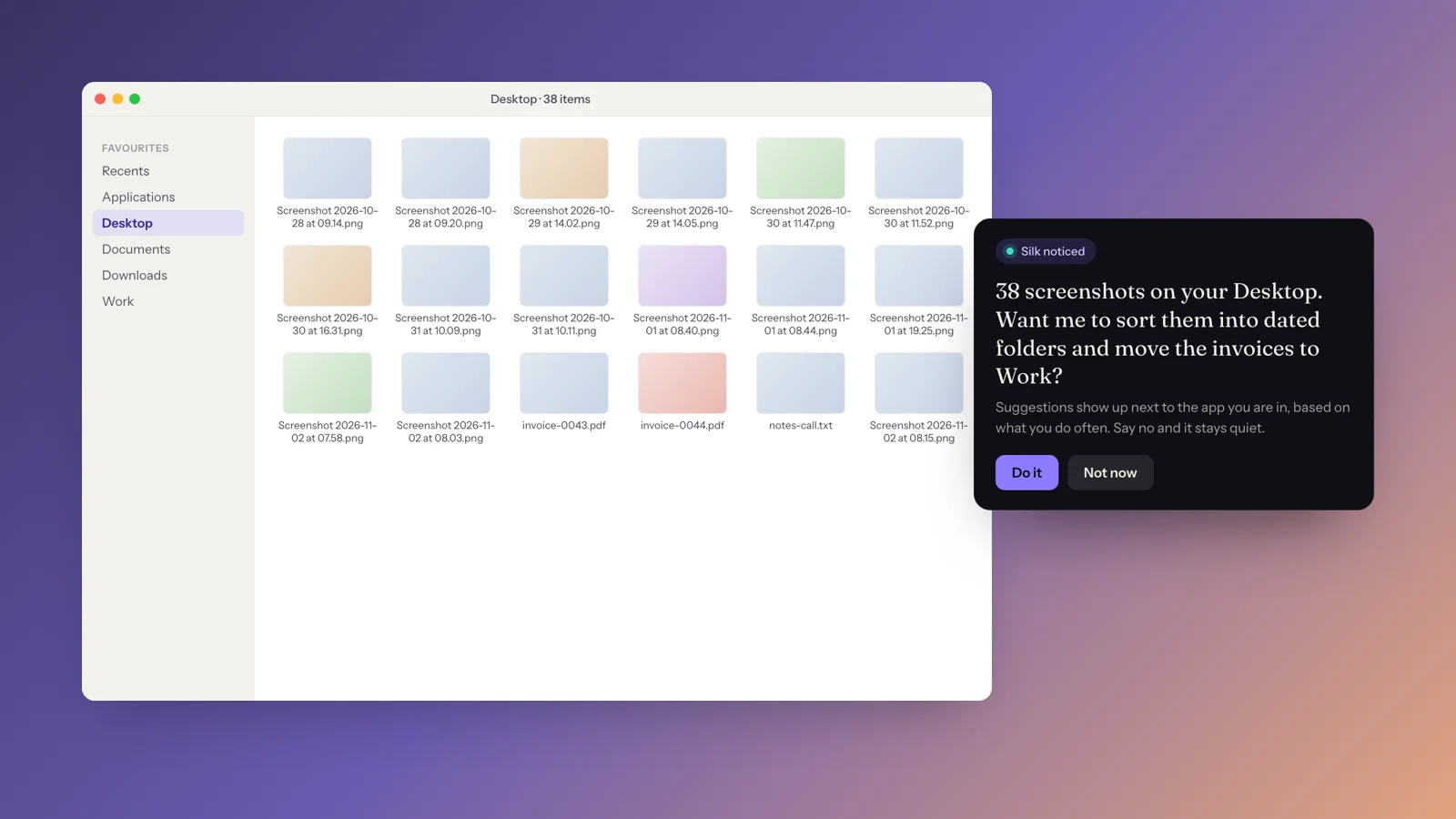
New in late October 2026: Silk can notice when you are about to do something it could do for you and offer, in a small card next to the app you’re in. A desktop full of screenshots, an export you run every Friday, an app it could connect to. Say “Do it” and it starts. Say “Not now” and it stays quiet. The suggestions learn from your own past jobs.
Keep your work organised
Every conversation and job is saved in History, where you can pick it up again and continue where you left off. Group related work into Projects, each with its own instructions and folder, so your SEO work, your newsletter and a client’s launch never get mixed up. Finished files open straight from the history card.
Which AI model does Silk use?
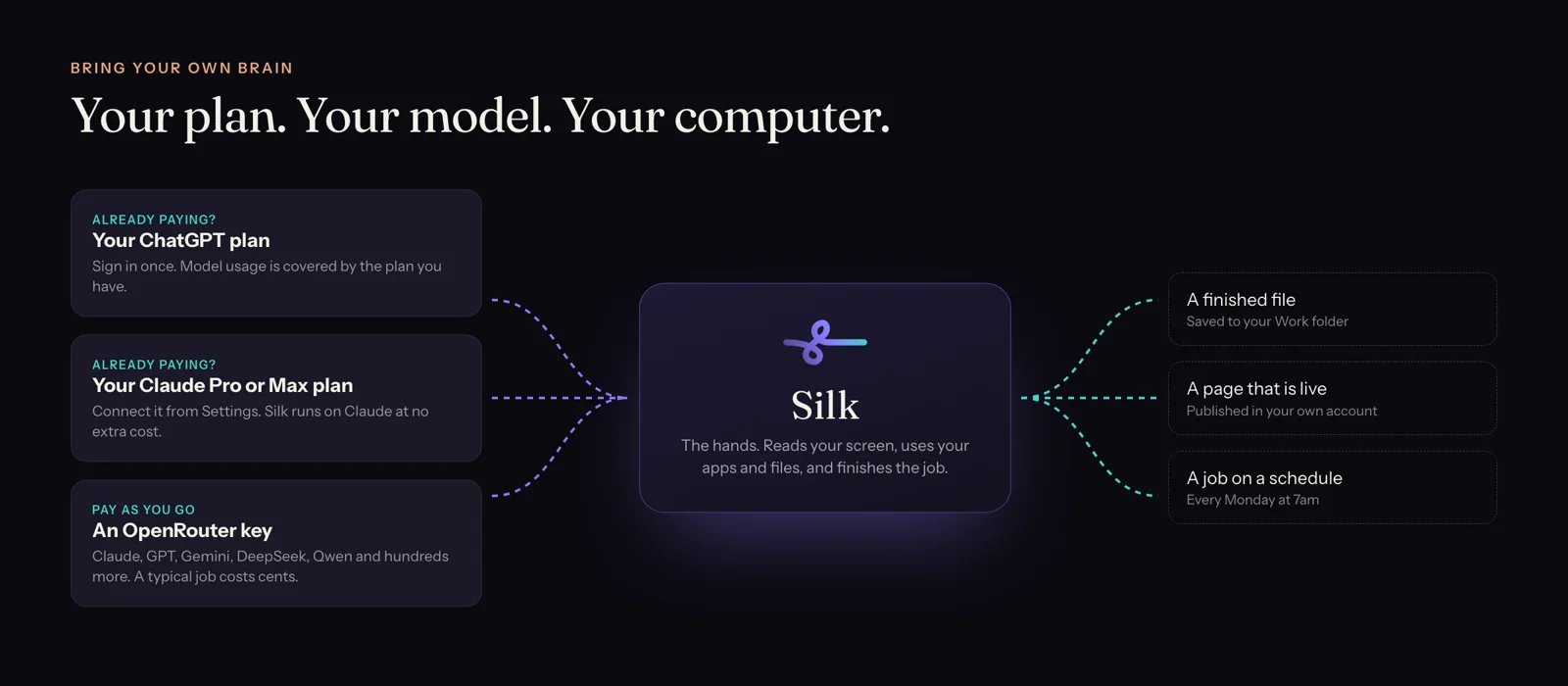
Yours. There are three ways to power Silk, and you can switch in one setting:
- Your ChatGPT plan. Sign in once and model usage is covered by the plan you already pay for.
- Your Claude Pro or Max plan. Connect it from Settings (Silk installs what it needs in one click) and run Silk on Claude at no extra cost.
- An OpenRouter key. Run Claude, GPT, Gemini, DeepSeek, Qwen or hundreds of other models, billed by usage. In our tests a typical background job costs about 1 to 3 cents.
Our model benchmark shows which models do the best job inside Silk, measured on real tasks.
Privacy and control
- Your data stays on your computer. Your screen, your voice and Silk’s memory are kept locally. The only thing that leaves is what you send to the model you picked.
- You can stop it instantly. Press Esc, or Cmd or Ctrl plus the full stop key. Move the mouse yourself and Silk hands control back.
- Nothing irreversible without your OK. Deleting, sending and paying wait for you to confirm.
- Spending caps. Set a limit on any background or scheduled job so it can never run up a bill.
Who Silk is for
Solo marketers, affiliate and agency operators, newsletter publishers, coaches and course sellers. People with the ideas and the clients and not the hours. Silk takes the jobs that eat the week: the content, the site, the spreadsheets, the posting, the lists.
What Silk is not. It is not a chatbot, and if a chatbot is what you want, keep the one you have. It is not a back-end automation tool like Zapier either: Silk works through your screen and apps on jobs you direct. And it is not an autonomous business builder. Give it concrete jobs with a clear finished result and it shines.
What’s new in Silk (October to November 2026)
- Draw on screen. Guide mode circles, labels and sketches 2D and 3D diagrams in time with its voice.
- Suggestion cards. Silk offers to take over repetitive work in context, on Mac and Windows.
- Run on your Claude plan. Claude Pro and Max subscribers can power Silk at no extra cost.
- Run on your ChatGPT plan. ChatGPT subscribers can do the same, on Mac and Windows.
- History and Projects. Resume any past conversation and keep work grouped by project.
- Spending caps for background and scheduled jobs.
- ClickDesigns and GoHighLevel connections, including GoHighLevel’s newer server.
- Crash-proof history. A job is saved the moment it starts, so nothing is lost if your computer freezes.
Price
Silk Premium is 9 US dollars a month, and the first day is free. It includes everything Silk does, installs on up to three computers, and you can cancel any time. If it is not for you, email us within 30 days for a full refund.
Questions
- What is Silk in one sentence?
- Silk is a desktop AI agent for Mac and Windows that takes a job in plain words, does it inside the apps on your own computer, and saves the finished file to your folder.
- Is Silk the same as silk.ai?
- No. Silk at heysilkai.com is a desktop AI agent for Mac and Windows. silk.ai is an unrelated company.
- Was Silk called Odin?
- Yes. Silk was called Odin AI until September 2026. Existing Odin owners kept their licence and moved to Silk with a normal app update.
- Does Silk work on Windows and Mac?
- Yes. There is a native app for macOS (Apple Silicon and Intel) and for Windows. One plan installs on up to three computers, and they can be a mix of both.
- Which AI model does Silk use?
- The one you choose. Sign in with your ChatGPT plan or your Claude Pro or Max plan and Silk runs on it at no extra cost, or add an OpenRouter key to run Claude, GPT, Gemini, DeepSeek or hundreds of other models.
- Can Silk work while my computer is unattended?
- Yes. Background jobs keep running after you walk away, and scheduled tasks run on your computer at the time you set while Silk is running. Turn on Start at login so schedules survive a restart.
- Is Silk safe to let click around my computer?
- You stay in control. Press Esc, or Cmd or Ctrl and the full stop key, and Silk stops at once. Move the mouse yourself and it hands control back. Anything it cannot undo waits for your OK, and you can set a spending cap on background and scheduled jobs.
- What languages does Silk speak?
- Silk listens and talks back in English, Spanish and Italian. Typed requests, including from Telegram, work in almost any language, and Silk can read screens in other languages.
- How much does Silk cost?
- Silk Premium is 9 US dollars a month, the first day is free, and you can cancel any time. Model usage is covered by your ChatGPT or Claude plan, or billed by OpenRouter under your own key. There is a 30-day money-back guarantee.