The best always-on AI agents in 2026: ChatGPT Dots, Grok Bot, OpenClaw, Silk and more
ChatGPT Dots, Grok Bot, Gemini Spark, Meta Muse, OpenClaw, Hermes and Silk compared: where each one runs, what it costs, who can get it and which to pick.
By Ijlal Ahmed · · Updated
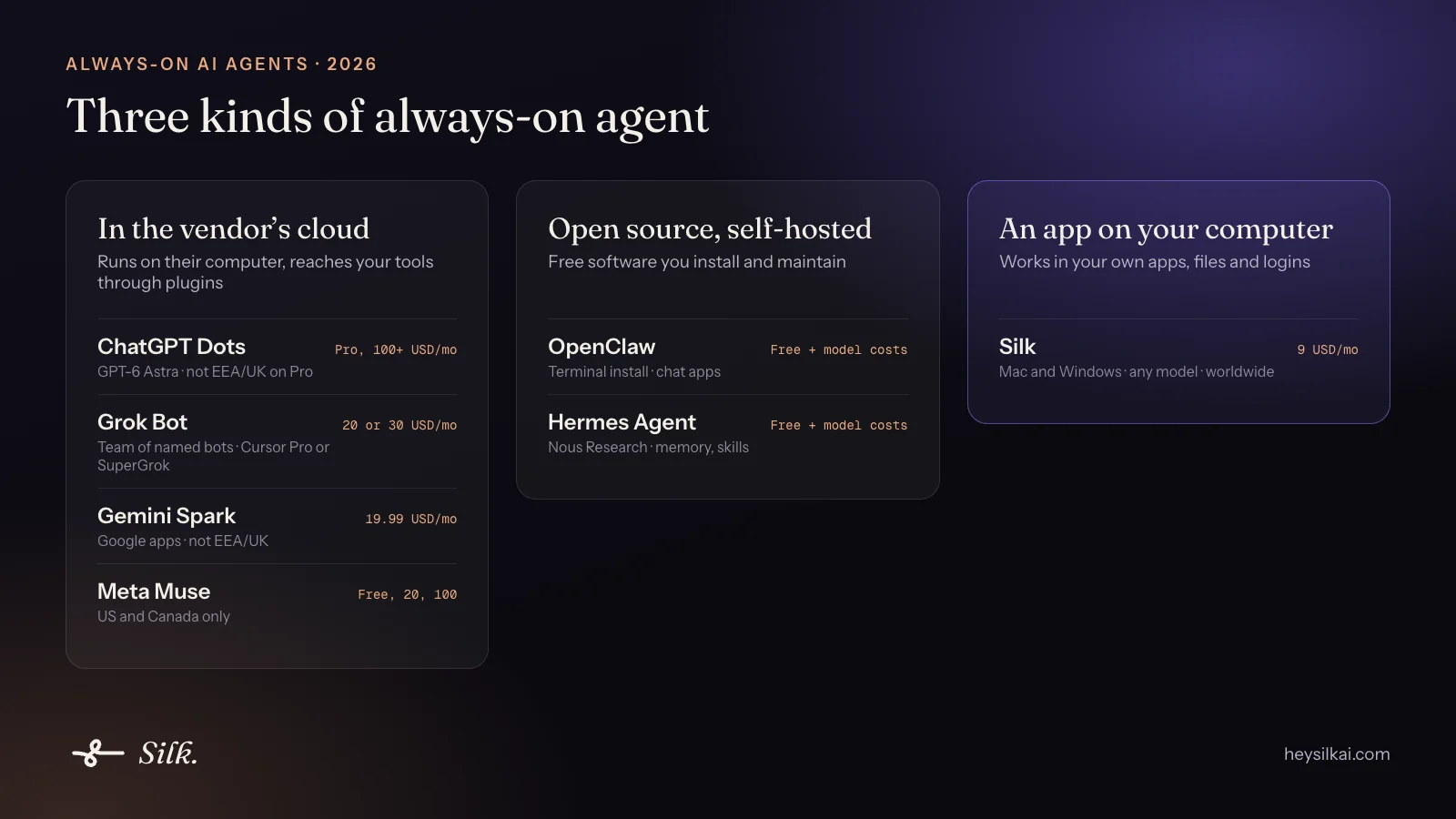
2026 is the year AI agents stopped waiting to be asked. In three months xAI shipped Grok Bot (11 August), Meta shipped Muse (8 September) and OpenAI shipped ChatGPT Dots (29 September). They joined Google’s Gemini Spark and the open-source hits OpenClaw and Hermes Agent.
They all promise the same thing: give it a goal, walk away, come back to finished work. They differ in three ways that matter more than any feature list:
- Whose computer does the work. The vendor’s cloud computer, a server you run, or the computer on your desk.
- Which AI model it runs on, and whether you get to choose.
- Who can get it. Several are locked to expensive plans or to certain countries.
We make Silk, so we’re not neutral. We’ve tried to be fair, and we say where each one beats us. Prices and availability are as of October 2026, so check the vendor’s page before you buy.
The quick comparison
| Agent | Where it works | AI model | Price to start | Availability |
|---|---|---|---|---|
| Silk | Your own Mac or Windows computer | Your choice: ChatGPT plan, Claude plan or OpenRouter | 9 US dollars a month | Worldwide |
| ChatGPT Dots | OpenAI’s cloud computer | GPT-6 Astra | ChatGPT Pro, from 100 US dollars a month | Pro excludes EEA, UK, Switzerland |
| Grok Bot | Shared cloud computer | Chosen by xAI and Cursor | Cursor Pro (20) or SuperGrok (30) | Widely available |
| Gemini Spark | Google’s cloud | Gemini | Google AI Pro, 19.99 US dollars a month | Not EEA, UK, Switzerland |
| Meta Muse | Meta’s cloud | Meta’s models | Free tier, Power 20 | US and Canada only |
| OpenClaw | Your computer or server | Bring your own | Free software | Anywhere |
| Hermes Agent | Your computer or server | Bring your own | Free software | Anywhere |
1. Silk: the always-on agent on your own computer
Best for: solo business owners whose work lives in their own apps, admin screens and folders.
Silk is a desktop AI agent for Mac and Windows. You tell it a job by voice, by typing or from Telegram on your phone. It works on your computer in the apps you already have, logged in as you, and saves the finished file to your folder. It runs several background jobs at once, runs schedules you set up just by asking, and remembers you between jobs.
What sets it apart:
- Your computer, your logins. It works in your WordPress, Shopify, GoHighLevel, Mac Mail and local folders without signing in again anywhere.
- It can show you, not just do it. Guide mode points at the right button on your screen and talks you through it.
- Any model. Run it on your ChatGPT plan (Plus included) or your Claude plan, or on hundreds of models through OpenRouter.
- Teach by doing. Record a job once and it becomes a skill you can replay or schedule.
In 60 days of real use, Silk users ran 9,662 tasks. A typical successful task took 58 seconds and cost about a third of a cent in AI fees. See how people actually use it.
Where it falls short: your computer has to be on for Silk to work. It’s one agent running parallel jobs, not a team of named bots. And it isn’t open source.
Price: 9 US dollars a month, first day free, up to three computers.
2. ChatGPT Dots: the big-lab cloud agent
Best for: people already paying for ChatGPT Pro who work in web apps, Slack or Microsoft Teams.
Each dot runs on GPT-6 Astra with its own cloud computer and browser, connects to over 4,000 apps through ChatGPT’s plugins, and keeps working toward goals while you’re away. Custom Rules and Auto-review decide what needs your approval. When it works on its own initiative, it sticks to read-only research.
Where it falls short: it needs ChatGPT Pro or Business Premium, and it isn’t in Plus. Pro access excludes the EEA, the UK and Switzerland. You get one dot per account for now. It can’t see your computer unless you connect it.
Price: ChatGPT Pro from 100 US dollars a month. Read Silk vs ChatGPT Dots.
3. Grok Bot: a team of bots
Best for: builders and developers who want several specialist agents passing work to each other.
Grok Bot, from xAI and Cursor, lets you create named bots with roles that share a persistent cloud computer. It has routines, triggers from Slack, GitHub and Teams, and “Teach a task” to record a workflow. There are native apps for every platform.
Where it falls short: you can’t pick the model. All your bots share one cloud computer and its logins. It’s strongest at coding work.
Price: comes with Cursor Pro (20 US dollars a month) or SuperGrok (30 US dollars a month), with usage limits. Read Silk vs Grok Bot.
4. Gemini Spark: for people who live in Google
Best for: Google Workspace users who want Gmail, Calendar and Docs handled around the clock.
Spark is Google’s 24/7 background agent. Its strength is depth in Google’s own apps.
Where it falls short: it only runs Google’s models, it needs a Google AI plan, and it wasn’t offered in the EEA, the UK or Switzerland at launch.
Price: Google AI Pro, 19.99 US dollars a month.
5. Meta Muse: personal errands
Best for: personal life admin in the US and Canada, such as shopping, bookings and errands, including over WhatsApp.
Where it falls short: it’s only available in the US and Canada and only runs Meta’s models. It’s built for consumer errands rather than business work.
Price: free tier, Power 20 US dollars a month, Max 100 US dollars a month.
6. OpenClaw: open source and self-hosted
Best for: technical users who want a free agent they can change, reached from WhatsApp or Telegram.
OpenClaw, which started as Clawdbot, runs on your own machine and has well over 300,000 stars on GitHub. It’s endlessly adjustable, and it has desktop apps as well as the terminal install.
Where it falls short: you install and run it from the terminal, and keeping it secure and updated is your job. You also pay for the model and any server.
Price: free software. Read Silk vs OpenClaw.
7. Hermes Agent: open source with a learning loop
Best for: technical users who want a self-improving open-source agent with memory and skills, often run on a cloud server and reached from Telegram, Discord or Slack.
Where it falls short: it shares OpenClaw’s trade-off. You get control, and you also get the setup and upkeep.
Price: free software from Nous Research.
How to choose
Ask yourself three questions:
- Where does my work actually happen? If it’s in your own desktop apps, admin screens and folders, pick an agent that runs on your computer, like Silk or OpenClaw. If it’s in Slack, Google or plugin-friendly web apps, a cloud agent is fine.
- Do I want to set it up, or just use it? OpenClaw and Hermes reward tinkering. Silk, Dots, Grok Bot, Spark and Muse are apps.
- What am I already paying for? If you have ChatGPT Pro, try your dot. If you have ChatGPT Plus or a Claude plan, Silk runs on it for 9 US dollars a month. If you have Cursor, try Grok Bot.
If you’re a solo business owner who wants the agent inside the tools you already use, start with Silk. The first day is free.
Questions
- What is an always-on AI agent?
- An always-on AI agent keeps a goal, a memory and its app connections between conversations, and starts work on its own from a schedule, an event or a message from your phone. You hand it a job and it keeps going after you walk away, instead of waiting for your next prompt.
- What is the best ChatGPT Dots alternative?
- It depends on where you want the agent to work. For an agent that runs on your own Mac or Windows computer, inside your apps and logins, Silk at 9 US dollars a month is the closest alternative. For another cloud agent, Grok Bot comes with Cursor Pro or SuperGrok. For free and self-hosted, OpenClaw and Hermes Agent are the best known.
- Which always-on AI agent works in the UK and Europe?
- At launch, ChatGPT Dots (on Pro) and Gemini Spark were not offered in the EEA, the UK or Switzerland, and Meta Muse was limited to the US and Canada. Grok Bot, Silk, OpenClaw and Hermes Agent are available there.
- Which always-on AI agent is cheapest?
- OpenClaw and Hermes Agent are free software, but you pay for the AI model and any server, and you set them up yourself. Meta Muse has a free tier in the US and Canada. Among paid apps, Silk is 9 US dollars a month and runs on the ChatGPT or Claude plan you already have.
- Do always-on agents work when my computer is off?
- Cloud agents do: ChatGPT Dots, Grok Bot, Gemini Spark and Meta Muse run on the vendor's computers. Agents that run on your own machine, such as Silk and OpenClaw, need that machine to be on, which is also what lets them use your own apps, files and logins.
- Can an always-on agent use my own computer?
- The cloud agents work on their own computer and reach your tools through plugins. Silk and OpenClaw run on your computer. Silk can also take the mouse and keyboard in any desktop app and show you how to do things by pointing at your screen.