Silk vs OpenClaw: a personal AI agent on your computer, without the terminal
OpenClaw is a free, open-source AI agent you install from the terminal. Silk does the same kind of work on your Mac or PC with a normal app install and no config files.
Updated
Pick OpenClaw if you're comfortable in a terminal, want free open-source software you can modify, and don't mind managing models, keys and updates yourself. Pick Silk if you want the same idea, an AI agent on your own computer that you can text from your phone, as a normal Mac or Windows app with support, voice, on-screen guidance and nothing to configure.
| Silk | OpenClaw | |
|---|---|---|
| Where it runs | On your own Mac or Windows computer | On your own computer or a server you set up |
| Install | Download the app and sign in | Terminal install script or npm, then an onboarding command |
| Cost | 9 US dollars a month, first day free | Free and open source. You pay for models and any server |
| AI model | Your ChatGPT plan, your Claude plan, or any model via OpenRouter | Bring your own model or key, including ChatGPT sign-in |
| Message it from your phone | Telegram, paired by sending a short code from the app | WhatsApp, Telegram, Discord and other chat apps |
| Controls your desktop apps | Yes. Act mode clicks and types in any app while you watch | Mainly through tools, skills and the browser |
| Shows you how, on your screen | Guide mode points at the button and talks you through it | No |
| Talk to it out loud | Yes. Press a shortcut and speak, and it talks back | Voice through integrations |
| Schedules | Yes. Ask in plain words | Yes, cron-style jobs |
| Skills | Ask for one, save a run, or record yourself doing it once | Community skills you install and configure |
| Safety controls | Esc stops it at once, irreversible steps wait for your OK, spending caps | Whatever you configure |
| Support | Support team, knowledge base and live customer sessions | Community and docs |
OpenClaw, the project that started life as Clawdbot, made a simple idea go viral. Put an AI agent on your own computer, then text it from your phone like a person. It became one of the fastest-growing projects on GitHub.
Silk is built on the same idea, for people who don’t want to open a terminal. It’s an AI agent that lives on your Mac or Windows computer, does real work in your real apps, and takes jobs from your phone over Telegram. It installs like any other app.
The same idea, packaged differently
Both put the agent where your stuff already is: your files, your apps, your browser logins. That’s what makes them different from cloud agents like ChatGPT Dots and Grok Bot, which work on a computer in someone else’s data centre.
Where they differ is everything around that idea.
OpenClaw is a toolkit. You run an install script or npm, go through onboarding in the terminal, connect a model, add chat channels and install skills. It’s powerful and endlessly adjustable. It’s also your job to keep it running, secure and up to date.
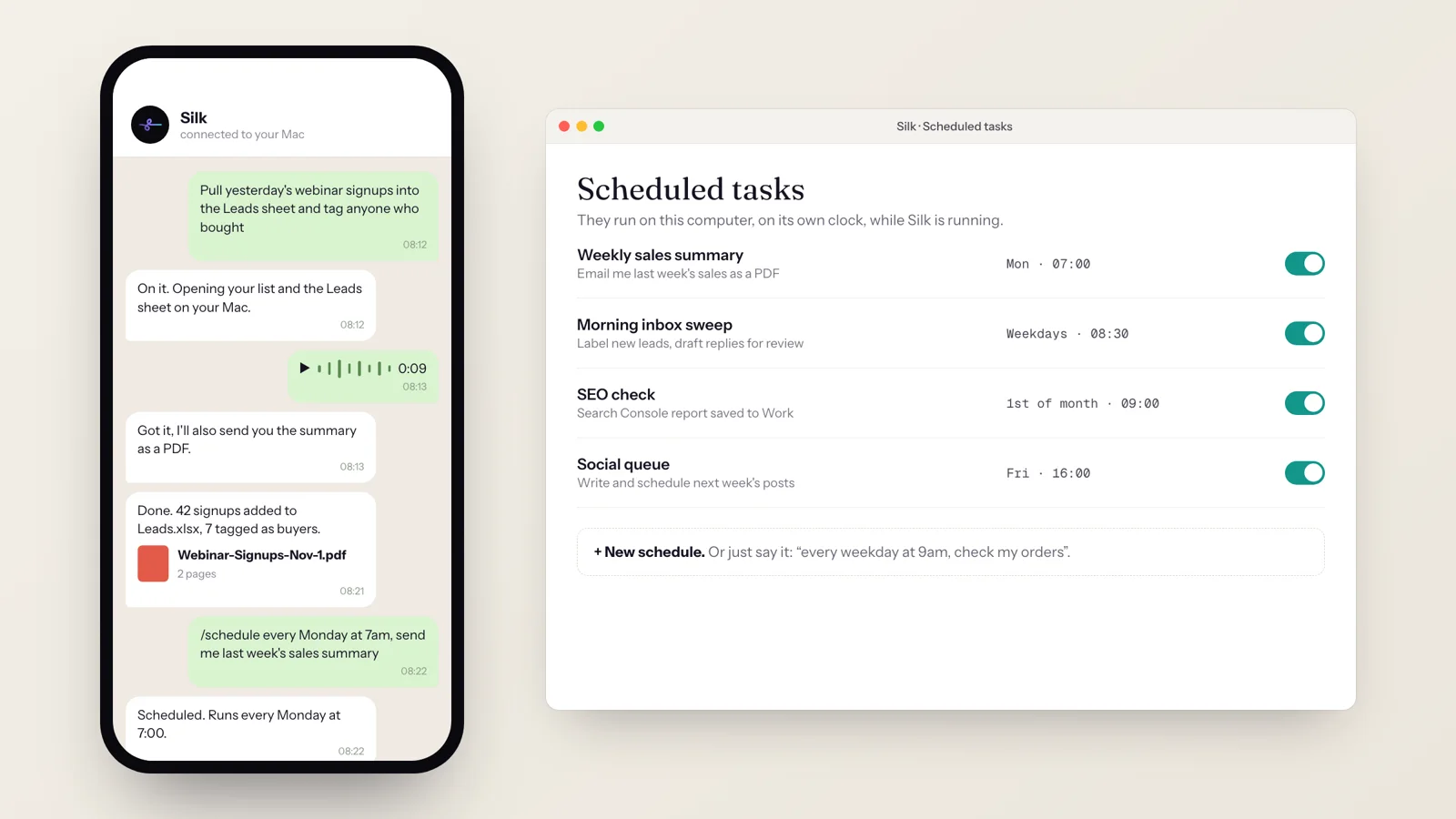
Silk is a finished product. You download it and sign in with the ChatGPT or Claude plan you already have. To pair Telegram, you send its bot a short code. Then you press a shortcut and talk. Schedules, skills, memory and safety controls are already built in.
Things Silk adds
- It uses your screen like a person does. In Act mode Silk takes the mouse and keyboard and works in any desktop app while you watch. Press Esc and it stops at once.
- It can teach you. In Guide mode you ask “where’s the setting for this?” and Silk points at the button on your screen and tells you out loud.
- Voice in, voice out. Press the shortcut and speak. Silk answers out loud. From your phone you can send Telegram voice notes, and Silk turns them into jobs.
- Skills by demonstration. Do a job once while Silk records, and it becomes a skill you can replay or schedule.
- Guard rails by default. Anything it can’t undo waits for your OK, passwords are typed by you in a sign-in window and never into a chat, and you can cap what background jobs spend.
How people run Silk from their phone
127 Silk installs are paired with Telegram, and about one in five scheduled jobs was created by a Telegram message or by voice. People send Silk a file and ask it to act on it, set reminders by message or voice note, and have it check WhatsApp on the computer and send a message to a family member.
See 10 ways people use Silk for the rest.
When OpenClaw is the better pick
- You want open source and to read or change the code.
- You’re comfortable in a terminal and enjoy tinkering.
- You want WhatsApp, Discord or Slack as the chat channel.
- You want to run it on a server rather than your own computer.
When Silk is the better pick
- You want it working today without configuring anything.
- You want it to click and type in your desktop apps, not only call tools.
- You want an agent that can show you how on your screen and talk to you.
- You want support and a money-back guarantee.
Silk Premium is 9 US dollars a month with the first day free, and it runs on the ChatGPT or Claude plan you already have. See how it compares with the rest of the field in the best always-on AI agents of 2026.
Questions
- What is OpenClaw?
- OpenClaw, formerly Clawdbot and Moltbot, is a free, open-source personal AI agent created by Peter Steinberger. It runs on your own machine and you talk to it from WhatsApp, Telegram or other chat apps. It handles email, calendar and other tasks with the AI model you connect.
- Is there an OpenClaw alternative that doesn't need the terminal?
- Yes. Silk does the same kind of job, an AI agent on your own computer that you can message from your phone, as a normal Mac or Windows app. You download it, sign in with your ChatGPT or Claude plan, and pair Telegram by sending its bot a short code. No terminal, config files or servers.
- Is OpenClaw really free?
- The software is free. You still pay for the AI model you connect, unless you use a plan you already have, and for a server if you run it in the cloud. Silk is 9 US dollars a month, and model usage is covered by your ChatGPT or Claude plan.
- Is Silk open source?
- No. Silk is a commercial app from Sprout Tech, with a support team, a 30-day money-back guarantee and regular updates. If open source matters most to you, OpenClaw or Hermes Agent is the better fit.
- Can Silk use WhatsApp like OpenClaw?
- Silk's phone channel is Telegram. On your computer it can also open WhatsApp and read or send a message for you, like any other app.