Silk vs ChatGPT Dots: an always-on agent in the cloud, or on your own computer
ChatGPT Dots runs on a cloud computer and needs ChatGPT Pro. Silk is an always-on AI agent that works on your own Mac or Windows PC for 9 US dollars a month.
Updated
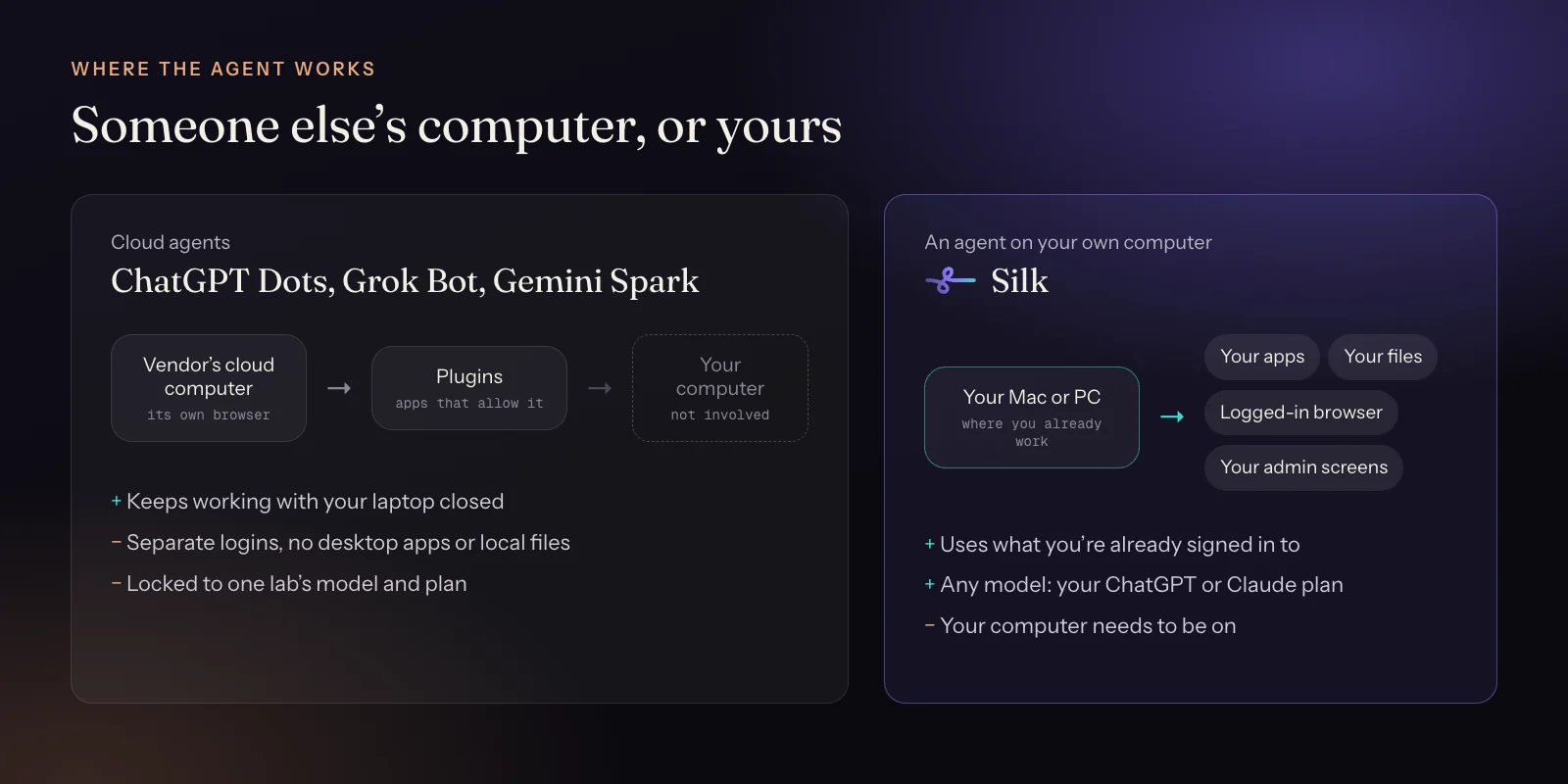
Pick ChatGPT Dots if you already pay for ChatGPT Pro, live in a supported country and want an agent that keeps working with your laptop closed. Pick Silk if you want the agent on your own computer, inside the apps and accounts you are already signed in to, on the ChatGPT or Claude plan you already have, for 9 US dollars a month, anywhere in the world.
| Silk | ChatGPT Dots | |
|---|---|---|
| Where the work happens | On your own Mac or Windows computer | On a cloud computer OpenAI runs for you |
| Your apps and logins | Uses the apps you have installed and the sites you're already signed in to | Plugins for 4,000+ apps; sign in again on the cloud computer for anything else |
| Your local files | Reads and saves straight to your folders | Separate from your computer unless you connect it |
| Runs when you walk away | Yes, background jobs and schedules, while your computer is on | Yes, even with your laptop closed |
| Scheduled and recurring work | Yes. Ask in plain words, by voice or from Telegram | Yes |
| Message it from your phone | Telegram: text, voice notes and files | ChatGPT app; texting beta for some US Pro users |
| Shows you how, on your screen | Guide mode points at the button and talks you through it | No |
| Repeatable workflows | Skills: ask for one, save a run, or teach it by doing the task once | Learns from feedback and memory |
| How many agents | One Silk, several background jobs at the same time | One dot per account for now |
| AI model | Your choice: your ChatGPT plan, your Claude plan, or any model via OpenRouter | GPT-6 Astra |
| Which plan you need | Silk Premium, 9 US dollars a month, first day free. Runs on ChatGPT Plus too | ChatGPT Pro (from 100 US dollars a month) or Business Premium. Not in Free, Go or Plus |
| Where it's available | Worldwide, including the UK and EU | Pro access excludes the EEA, the UK and Switzerland |
| Platforms | Mac and Windows app, up to three computers | ChatGPT web, desktop and mobile; Slack and Teams |
OpenAI’s ChatGPT Dots made “always-on agent” a household phrase. You give a dot a goal, it works on a computer in OpenAI’s cloud, and it keeps going after you leave.
Silk does the same kind of job on a different computer: yours. It’s an AI agent for Mac and Windows that takes work in plain words, runs it in the background and on a schedule, and leaves the finished file in your folder. It uses the apps you have installed and the accounts you’re already signed in to.
That one difference, a cloud computer or your own, decides most of what follows.
Where the agent lives
A dot has its own cloud computer and browser. That’s why it can keep going with your laptop shut. It’s also why it starts out as a stranger to your setup. It can’t see your folders, your desktop apps or the dozens of sites you’re logged in to. It reaches your tools through plugins, or by signing in again on its own machine.
Silk starts inside your setup. Ask it to “fix the meta descriptions on the six service pages” and it opens your WordPress, already logged in as you. Ask for “a competitor report as a PDF” and the PDF lands in your Work folder. Nothing gets downloaded and moved around afterwards, because it was never anywhere else.
What people actually hand to an always-on agent
We looked at 60 days of Silk usage, from 4 September to 3 November 2026. Silk users started 9,662 tasks. A typical successful task took 58 seconds and cost about a third of a cent in AI fees. The jobs that grew fastest are the same ones ChatGPT Dots is pitched at:
- A chief of staff on a schedule. 22 Silk users set up 215 recurring jobs that fired 2,436 times: morning briefings, nightly recaps, inbox triage. 91% were set up just by asking in plain words.
- Research reports. Research is the most common job, run by 61 users in 30 days with an 86% success rate. People ask for a polished competitor report as a PDF, for example.
- Work inside business apps. WordPress SEO fixes, Shopify product pages and GoHighLevel tasks are the longest jobs people hand off, at around 20 minutes each.
That last group is where working on your own computer counts most. Those jobs happen in admin screens you’re already logged in to. Read 10 ways people use Silk for the full breakdown.
Price and availability
This is where the two are furthest apart.
- ChatGPT Dots come with ChatGPT Pro, which starts at 100 US dollars a month, or with Business Premium. They aren’t in Free, Go or Plus. At launch, Pro access excluded the EEA, the UK and Switzerland. You get one dot per account for now.
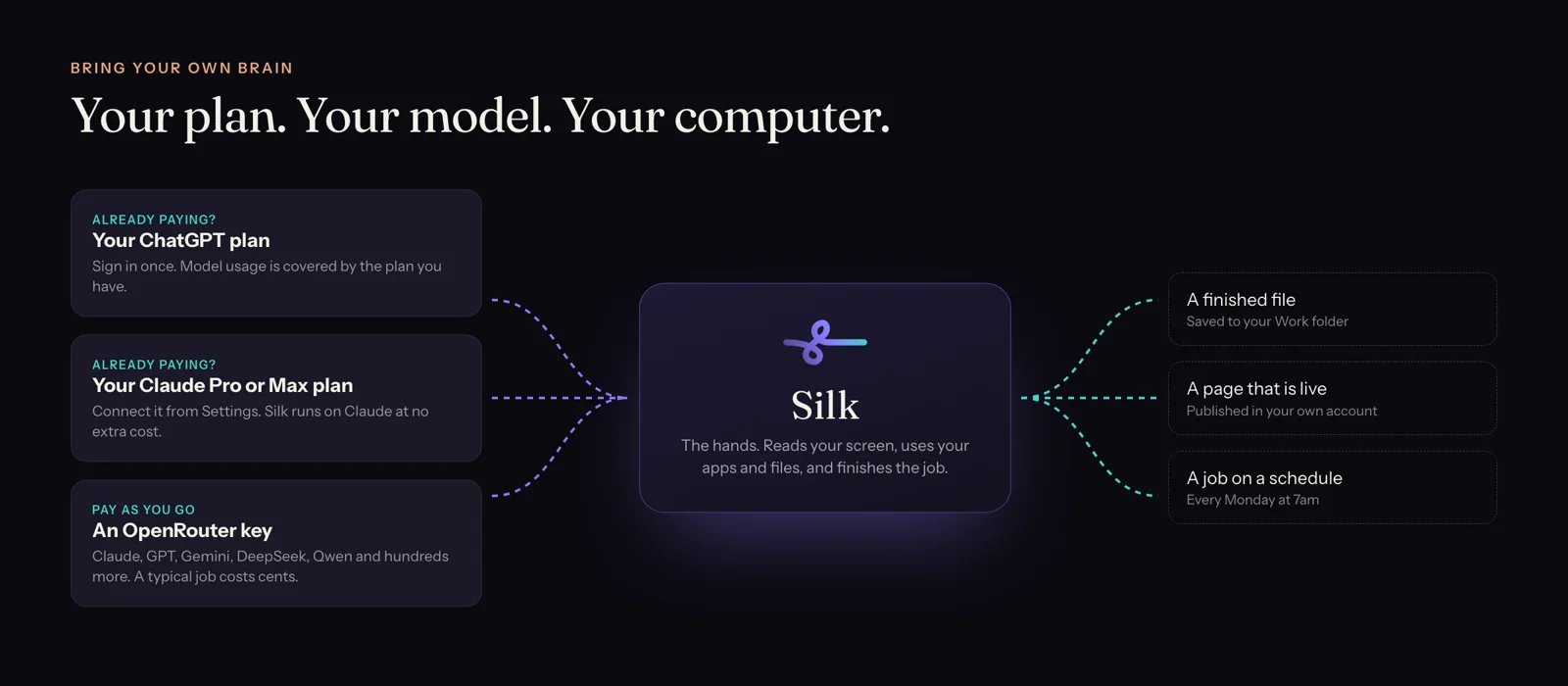
- Silk Premium is 9 US dollars a month, the first day is free, and one plan covers up to three computers. It runs on the ChatGPT plan you already have, Plus included, or on your Claude Pro or Max plan, so the AI usage is already paid for. It’s sold worldwide.
Things Silk does that a cloud agent can’t
- It shows you, on your screen. In Guide mode you ask “where’s the export setting?” and Silk points at the button, circles it and tells you out loud. A cloud agent can’t see your screen.
- It uses your desktop apps. Mac Mail, Excel, Finder, Keynote, local design tools, not just websites.
- It learns by watching. Do a task once while Silk records, and it becomes a skill you can replay, schedule or trigger from your phone.
- Your files stay on your machine. Silk reads and writes your folders directly. Nothing is copied to someone else’s computer for the agent to work on.
When ChatGPT Dots is the better pick
Being straight about it:
- You need it running with your laptop closed. Silk runs on your computer, so the computer has to be on. (If you have a desktop or a Mac mini that stays on, that covers most of it.)
- You live in Slack or Microsoft Teams and want the agent to work there.
- You already pay for ChatGPT Pro, so a dot costs you nothing extra.
- Your work is mostly web apps that have ChatGPT plugins.
When Silk is the better pick
- The work happens in your own apps, admin screens and folders.
- You want any model: your ChatGPT plan, your Claude plan, or Gemini, DeepSeek and hundreds more through OpenRouter.
- You’re in the UK or EU, or anywhere Dots isn’t sold.
- You’d rather pay 9 US dollars a month than 100.
- You want an agent that can teach you software as well as run it.
The bottom line
ChatGPT Dots is an always-on agent on OpenAI’s computer. Silk is an always-on agent on yours. If your work lives in your own apps, files and logins, that’s where the agent should be.
Start with what Silk is and everything it does, or see how it compares with the rest of the field in the best always-on AI agents of 2026.
Questions
- What are ChatGPT Dots?
- Dots are always-on agents inside ChatGPT, launched by OpenAI on 29 September 2026. Each dot runs on GPT-6 Astra with its own cloud computer and browser, connects to apps through plugins, and keeps working on goals while you are away. They are included with ChatGPT Pro and Business Premium.
- What is the best ChatGPT Dots alternative?
- If you want the agent to work on your own computer, Silk is the closest alternative: it runs background jobs and schedules on your Mac or Windows PC, uses the apps and logins you already have, and costs 9 US dollars a month. If you want a cloud agent with a team of bots, look at Grok Bot. If you want free and self-hosted and don't mind a terminal, look at OpenClaw or Hermes Agent.
- Can I use ChatGPT Dots with ChatGPT Plus?
- No. As of October 2026 dots need ChatGPT Pro or Business Premium. Silk does work with ChatGPT Plus: sign in with your ChatGPT account in Silk's settings and Silk runs on your plan.
- Are ChatGPT Dots available in the UK or Europe?
- Not on ChatGPT Pro at launch. OpenAI excluded the EEA, the UK and Switzerland from Pro access. Silk is available worldwide.
- Does Silk work when my computer is off?
- No, and that is the honest trade-off. Silk does the work on your computer, so your computer has to be on and Silk running. Background jobs keep going when you walk away, and Start at login keeps schedules running after a restart. Dots run on OpenAI's cloud, so they keep going with your laptop closed.
- Can I use Silk and ChatGPT Dots together?
- Yes. Many people will keep ChatGPT for thinking and research, and use Silk for the jobs that live in their own apps: publishing to WordPress, updating a Shopify store, working inside GoHighLevel, filing to local folders.