Silk vs ChatGPT: the answer, or the finished job
ChatGPT writes the answer. Silk is a desktop AI agent that does the job on your Mac or Windows computer and saves the finished file. Here's when to use each, and how to use both.
Updated
Use ChatGPT when you want an answer, an idea or a draft. Use Silk when you want the job done in your own apps on your own computer, with a finished file or a live page at the end. Silk can run on your ChatGPT plan, so you don't have to pick one.
| Silk | ChatGPT | |
|---|---|---|
| What you get | A finished file in your folder, or a page that is live | A reply in a chat window, or a file to download |
| Where the work happens | On your own computer, in your installed apps | In the chat, or in a virtual computer on OpenAI's servers (agent mode) |
| Uses your logged-in accounts | Yes, the apps and sites you're already signed in to | Through connectors, or by signing in again inside agent mode |
| Your local files and folders | Reads and saves straight to your folders | Files you upload; results you download |
| Sees your screen and points at things | Yes, Guide mode points, circles and talks you through it | You can share a screen in voice mode on some devices |
| Runs while you are away | Background jobs, several at once | Agent tasks run in the cloud |
| Scheduled jobs | Yes, on your computer, by voice, window or Telegram | Scheduled tasks for reminders and recurring prompts |
| Send work from your phone | Telegram: tasks, files and voice notes to your computer | ChatGPT mobile app |
| Memory | Linked notes you can see and edit; can import your ChatGPT memory | Saved memories and chat history |
| Repeatable workflows | Skills: ask for one, save a run, or teach it by doing the task once | Custom GPTs and projects |
| AI model | Your choice: your ChatGPT plan, your Claude plan, or any model via OpenRouter | OpenAI models |
| Platforms | Mac and Windows desktop app | Web, desktop and mobile apps |
| Price | 9 US dollars a month, first day free, runs on your ChatGPT plan | Free and paid plans |
Keep ChatGPT. Silk is the hands.
ChatGPT is brilliant at answers: explaining, brainstorming, drafting. But for most solo business owners the answer is the easy part. The hours go on what comes after it: copying, formatting, designing, uploading, posting, filing. Silk does that part, on your own computer.
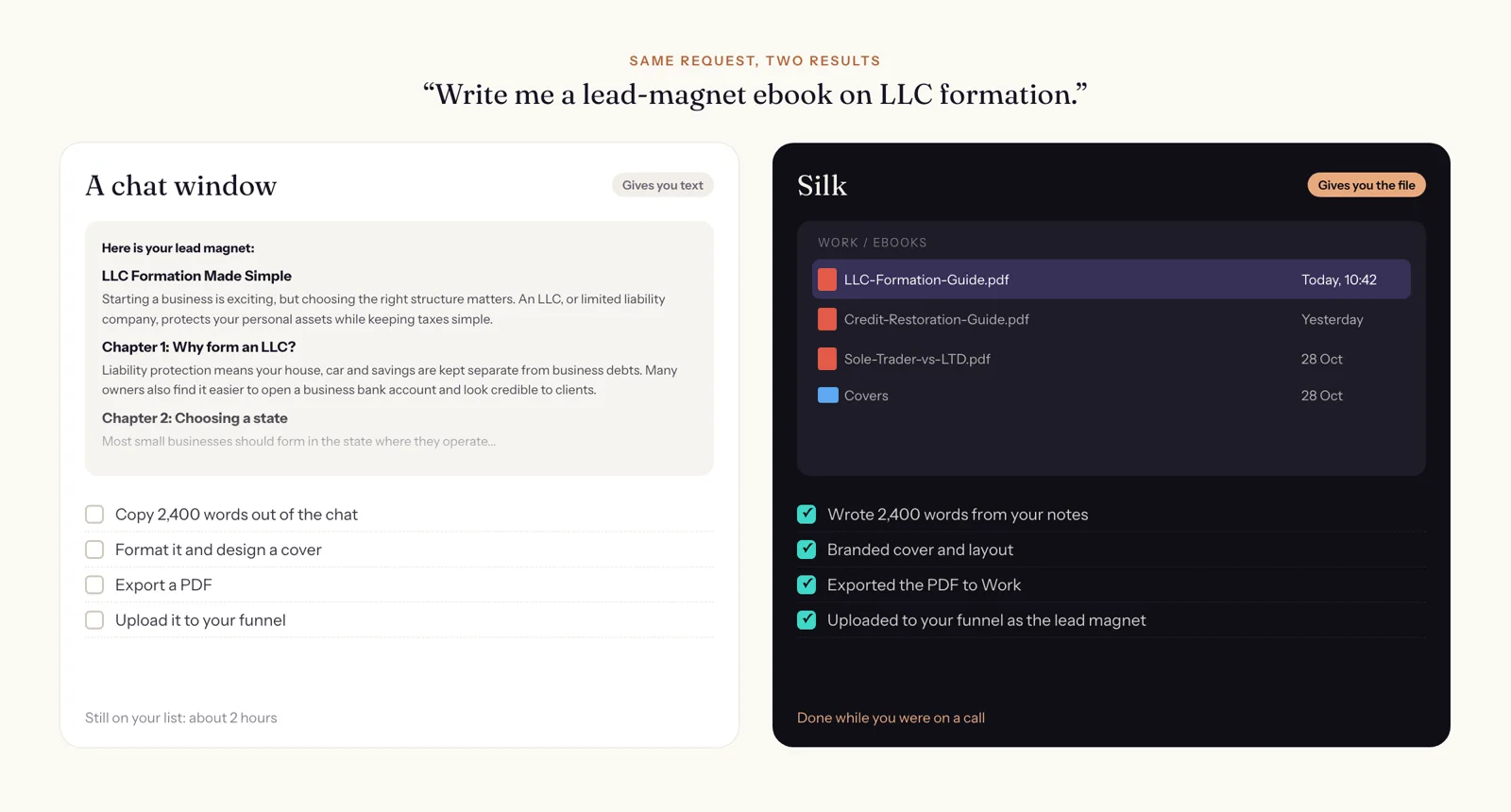
The same request, two results
Ask both for “a lead-magnet ebook on LLC formation”.
- ChatGPT gives you 2,400 good words in a chat. You copy them out, format them, design a cover, export a PDF and upload it to your funnel.
- Silk gives you
LLC-Formation-Guide.pdfin your Work folder, with a branded cover, uploaded to your funnel as the lead magnet. You were on a call.

Where the work actually happens
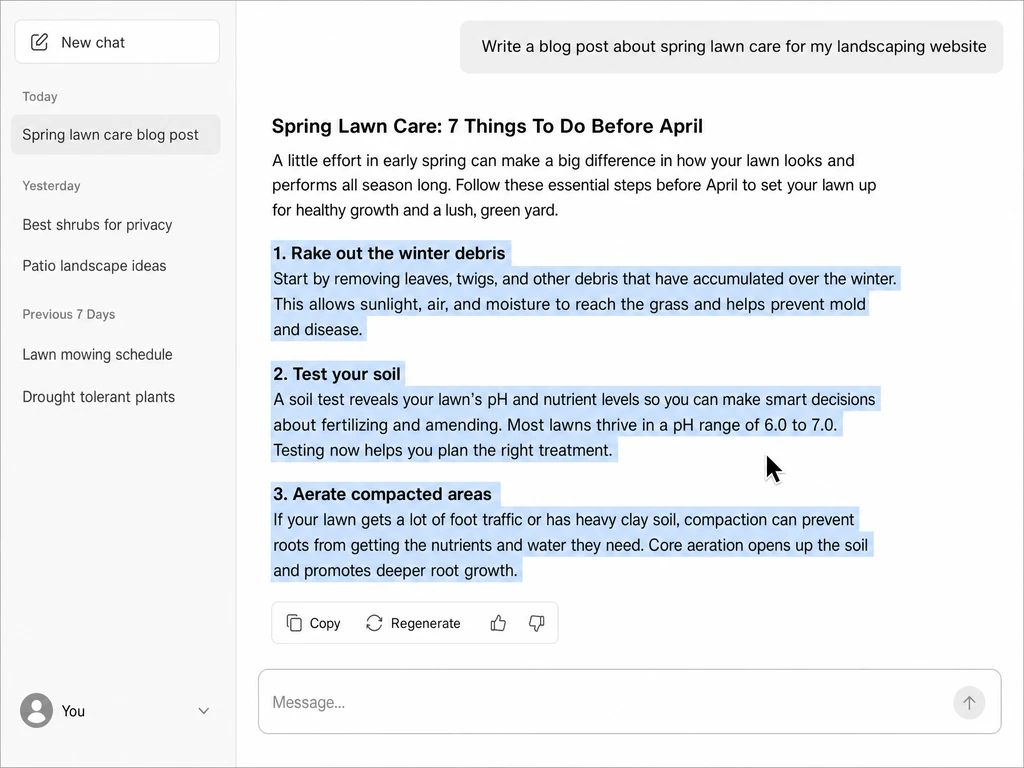
This is the real difference. ChatGPT’s work happens in a chat, and in agent mode, in a virtual computer on OpenAI’s servers. Anything it makes, you download and then move into your own tools yourself.
Silk runs on your Mac or Windows computer. It uses the apps you have installed and the accounts you are already signed in to: your WordPress, your email, your spreadsheets, your funnel builder, your folders. When it finishes, the result is already where it belongs. There is no download-and-upload step, because there is nowhere to move it from.
It also means Silk can see your screen. In Guide mode you ask “where’s the setting for this?” and it points at the button, circles it and tells you out loud. That’s how people learn software they’ve never used, inside the software.
When to use ChatGPT
- You want to think something through, get ideas or ask a question.
- You need a quick draft you will edit yourself.
- You are on your phone and want an answer, not a deliverable.
- You want to explore a topic in conversation.
When to use Silk
- You want a finished thing: a PDF, a spreadsheet, a published post, a scheduled social week, a cleaned-up inbox.
- The job lives in your own apps and accounts.
- It’s a job you do every week and want to hand off for good, on a schedule.
- You’re stuck in an app and want someone to show you where to click.
- You want to send a job from your phone and come back to the result on your computer.
Use them together
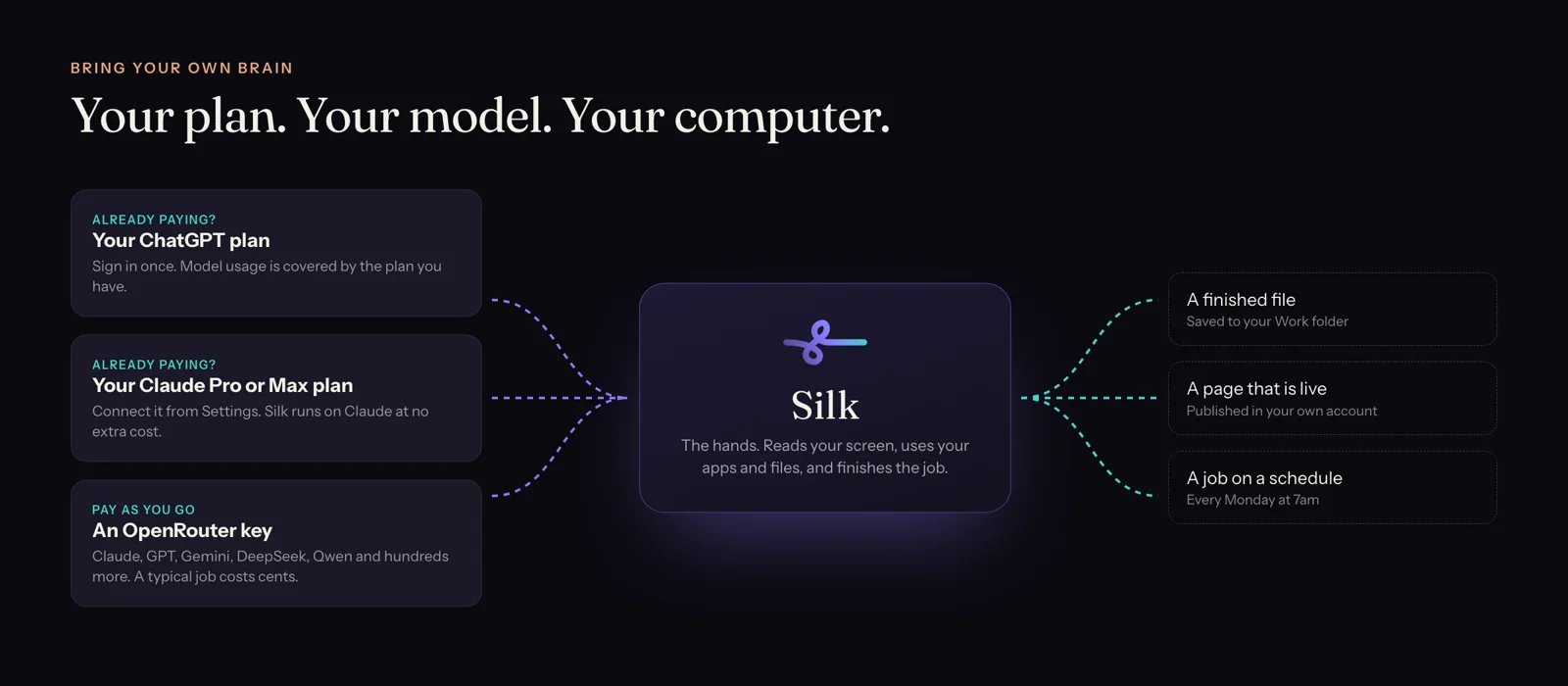
You don’t have to choose. Silk can run on your ChatGPT plan. Sign in once in Silk’s settings and Silk uses your ChatGPT subscription as its brain, so the model usage is already paid for. If you also have a Claude plan, or want to try Gemini or DeepSeek through OpenRouter, you can switch in one setting.
If ChatGPT already knows a lot about your business, you can bring that across too: export your ChatGPT memory and import it into Silk’s Memory window.
The bottom line
Use ChatGPT for the answer. Use Silk for the job. Silk Premium is 9 US dollars a month with the first day free, and it runs on the ChatGPT plan you already have.
Want the full picture first? Read what Silk is and everything it does, or see a real job in making a branded lead-magnet PDF.
Questions
- Is Silk better than ChatGPT?
- They do different jobs. ChatGPT is the best place to think, ask and draft. Silk is for getting the work done in your own apps and ending up with a finished file. Many Silk users keep ChatGPT and run Silk on their ChatGPT plan.
- Do I need ChatGPT to use Silk?
- You need a model. Sign in with your ChatGPT plan or your Claude Pro or Max plan and model usage is covered, or use an OpenRouter key and pay only for what runs.
- Can I use my ChatGPT Plus subscription with Silk?
- Yes. Sign in with your ChatGPT account in Silk's settings and Silk runs on your plan at no extra cost, within your plan's usage limits.
- How is Silk different from ChatGPT agent?
- ChatGPT agent works in a virtual computer on OpenAI's servers. Silk works on your own Mac or Windows computer, in the apps you have installed, with your files and logins, and saves results to your own folders. Silk can also guide you through an app by pointing at your screen.
- Can Silk import what ChatGPT knows about me?
- Yes. Export your memory from ChatGPT, paste it into Silk's Memory window, review it line by line, and Silk turns it into notes it uses in every job.
- Does Silk work on Windows as well as Mac?
- Yes. Silk has native apps for macOS and Windows, and one plan covers up to three computers.