Make a branded lead-magnet ebook PDF with AI
Hand Silk your topic and notes. It outlines, writes in your voice, applies your brand, saves a finished PDF to your folder and can add it to your funnel.
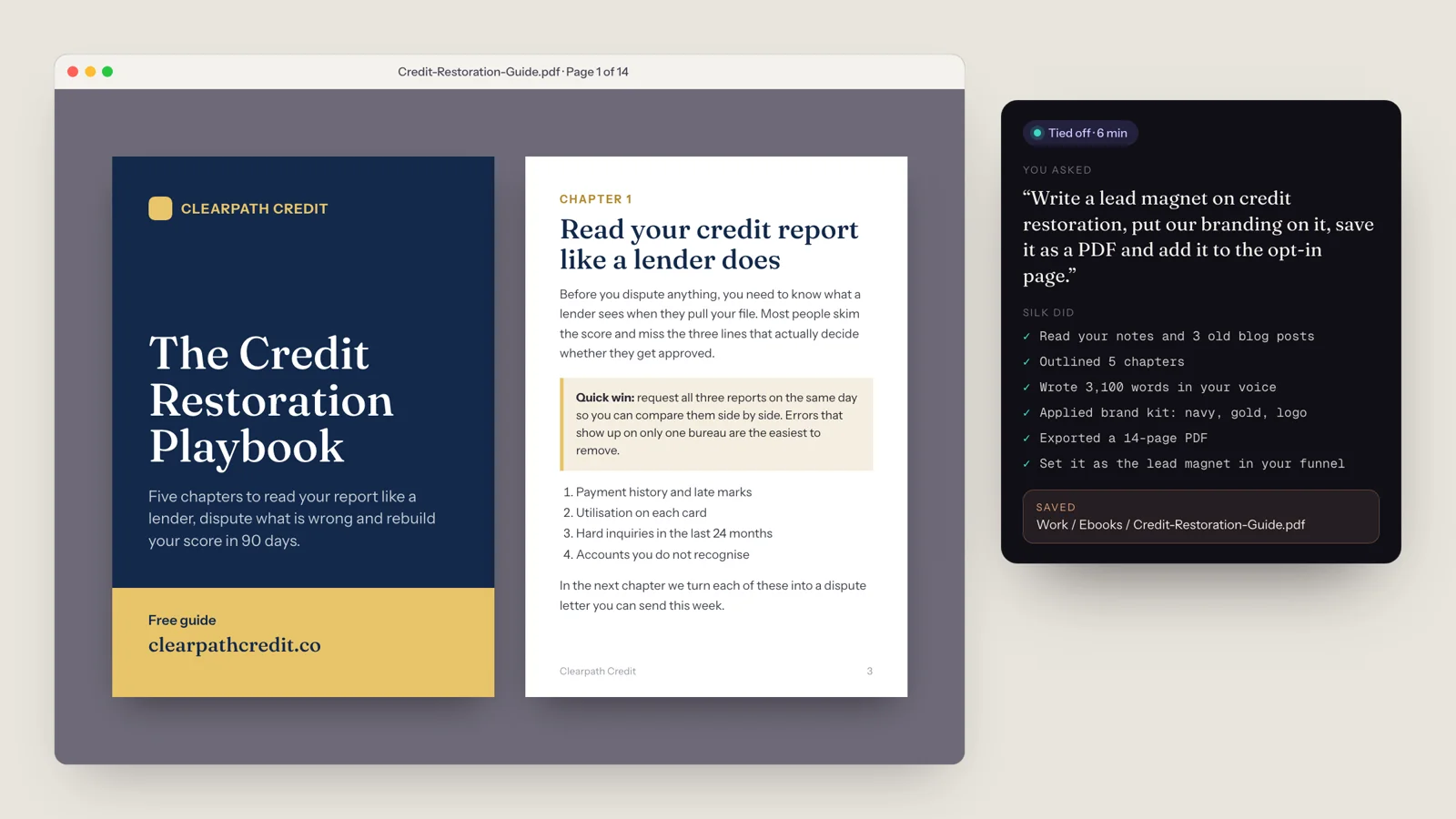
“write a lead magnet on credit restoration, put our branding on it, save it as a PDF and add it to the opt-in page”
- 01 Read your notes and 3 old blog posts
- 02 Outlined 5 chapters
- 03 Wrote 3,100 words in your voice
- 04 Applied your brand kit: colours, fonts, logo
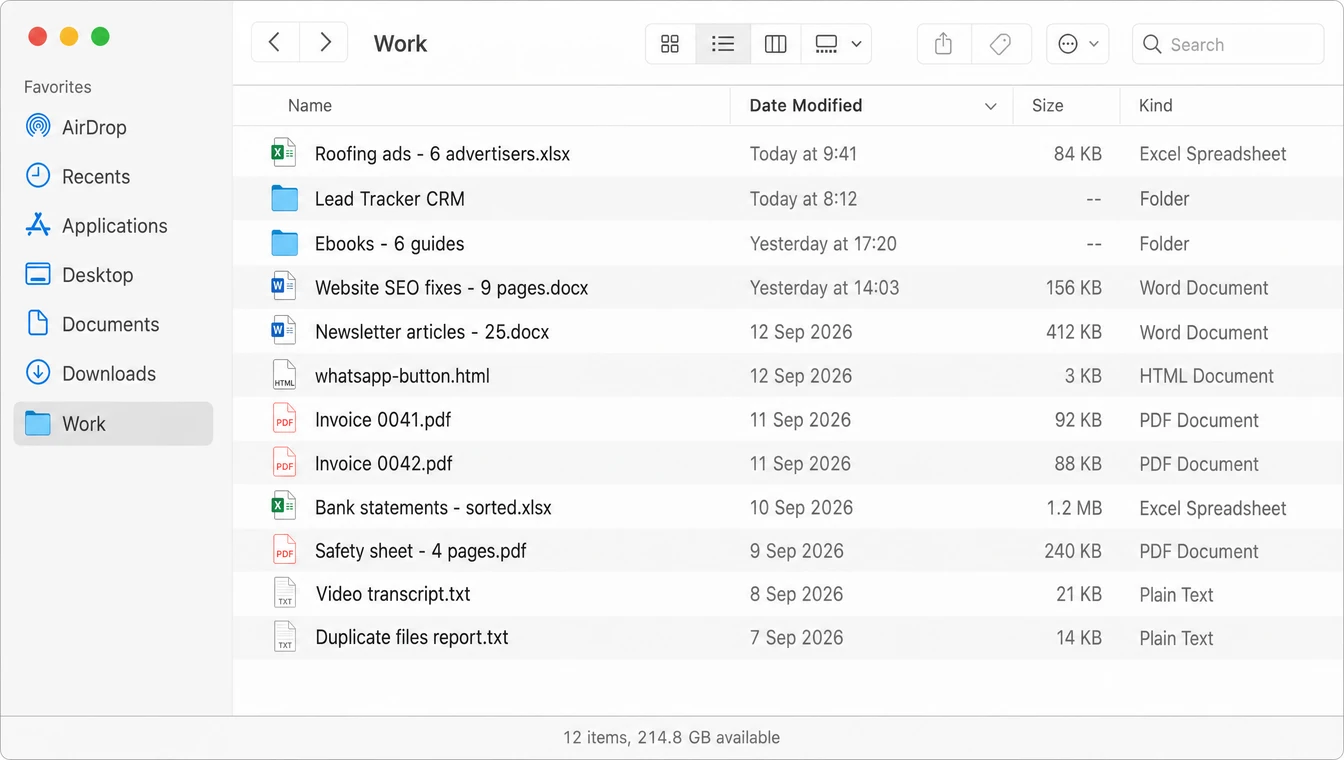
- 05 Exported a 14-page PDF to Work / Ebooks
- 06 Set it as the lead magnet in your funnel
Credit-Restoration-Guide.pdf, saved in your Work folder and live on your opt-in page
A chat window will write the words. Then you still have to copy them out, format them, design a cover, export a PDF and upload it to your funnel. That last part is where an afternoon goes.
Silk does the whole job on your own computer and hands you the file. It is one of the most common jobs people give it.
What you get
- A finished PDF, not a draft: a designed cover, a contents page, chapters with headings, call-out boxes and a call to action at the end.
- Your brand on every page: your colours, fonts and logo, taken from your brand kit or your website.
- Your voice, learned from your own writing.
- Saved where you want it, by default your Work folder, named sensibly.
- Optionally, live in your funnel as the opt-in download.
How it works, step by step
- Tell Silk the topic. Say or type it: “write a lead magnet on credit restoration for first-time home buyers.” Mention the audience and the one result the reader should get.
- Point it at your material. Old blog posts, a webinar transcript, a folder of notes, a competitor’s guide you like the structure of. Silk reads them first, so the ebook says what you would say.
- Silk outlines it. It plans the chapters around the reader’s problem. Ask to see the outline first if you want to approve it before the writing starts.
- It writes in your voice. Each chapter gets practical steps, examples and a quick win, not filler.
- It applies your brand. Cover, typography, colours and logo. If Silk already knows your brand from memory, you don’t need to say anything.
- It exports the PDF and saves it to your Work folder.
- It puts it to work. If you asked, Silk opens your funnel builder, uploads the file and sets it as the lead magnet on your opt-in page, then tells you it’s done.
The whole job runs in the background. You’ll see a card with live progress, and a note when it’s tied off.
Requests you can copy
- “Write a 10-page lead magnet on LLC formation for freelancers, use the notes in my LLC folder, brand it, save as PDF.”
- “Turn last week’s webinar transcript into a branded ebook with five chapters and a checklist at the end.”
- “Make a one-page cheat sheet on Instagram hashtags in our colours, then a longer 3,000-word version.”
- “Write six lead magnets, one for each of these topics, brand them all and save them in Work / Ebooks.”
- “Every first Monday of the month, write a new lead magnet from my latest blog post and add it to the funnel.”
Tips for a better ebook
More than ebooks
The same job works for any downloadable: checklists, workbooks, swipe files, resource lists, email-course PDFs, client onboarding guides and case studies. If it ends as a branded PDF, Silk can make it.
New to Silk? Read what Silk is and how it works, or see how it compares in Silk vs ChatGPT.
Questions
- How long does it take Silk to make a lead-magnet ebook?
- Usually a few minutes for a 3,000-word guide, depending on the model you run Silk on and how much research it needs. It runs in the background, so you can do something else meanwhile.
- Will the ebook sound like me?
- Point Silk at a few of your emails, posts or an old guide and it writes in that voice. Tell it once and it remembers your voice and brand for every future ebook.
- Can Silk upload the PDF to my funnel too?
- Yes. Ask it to, and Silk opens your funnel builder or website in its own browser window, logged in as you, and sets the PDF as the lead magnet. With GoHighLevel it can also use the direct connection.
- Do I need design software?
- No. Silk lays out and exports the PDF itself, with a cover, headings, call-outs and your colours. If you prefer to design in a tool like ClickDesigns or Canva, Silk can work in that instead.
- Can it make a whole series of lead magnets?
- Yes. Give it a list of topics and it makes them one after another, or schedule it to produce one a week. One Silk user had six pillar ebooks made and saved as branded PDFs in a single run.
- What does it cost to make one?
- On your ChatGPT or Claude plan there is no extra cost. With an OpenRouter key, a job like this typically costs a few cents of model usage.