
Make a competitor analysis report PDF with AI, in minutes
Name a business. Silk researches it and its top five competitors on the web, compares reviews, pages and ads, and saves a client-ready branded PDF to your folder.
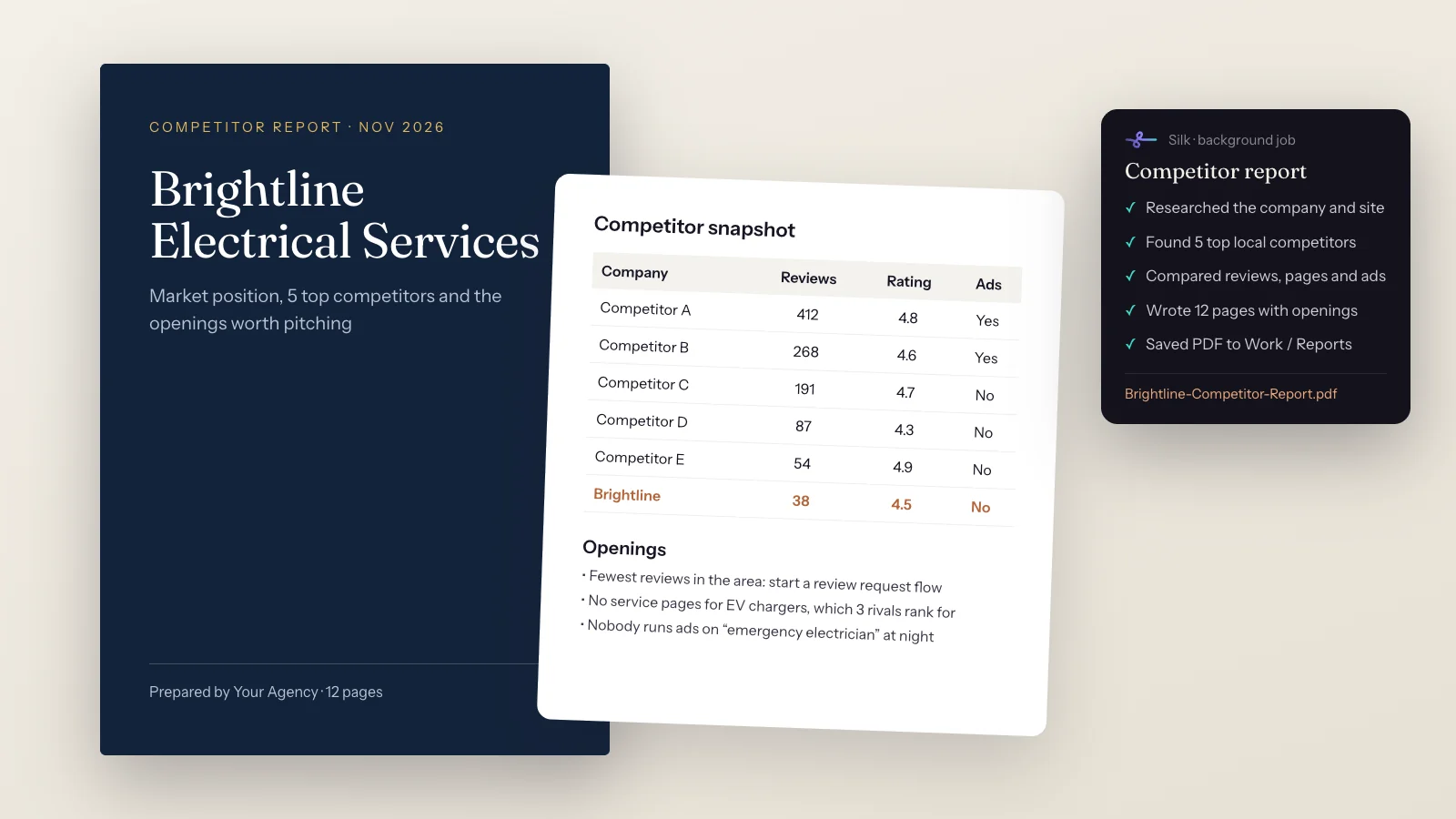
“create a high-class PDF report about this company and find their 5 top competitors”
- 01 Researched the company, its site and its reviews
- 02 Found the 5 top local competitors
- 03 Compared reviews, ratings, service pages and ads
- 04 Wrote up the openings worth pitching
- 05 Designed a 12-page branded report
- 06 Saved the PDF to Work / Reports
Brightline-Competitor-Report.pdf in your Reports folder, ready to send to the prospect
Agency owners use this one constantly. Before a sales call, they say “Create a high-class PDF report about this company and find their 5 top competitors” and get back something they can send. People have done it for electricians, drywall contractors and restoration firms.
Research is the most widely used task type in Silk: 61 users in 30 days, with an 86% success rate. Report tasks grew 3.3x in that time.
What you get
- A designed PDF, not a chat reply: a cover, sections, tables and your branding.
- The company’s position: what it offers, how it shows up in search, its reviews and ratings.
- Five real competitors, compared on things you can check.
- Openings worth pitching, the gaps a prospect will care about.
- Sources listed when you ask, so you can check anything before you send it.
How it works
- Name the business. A website, a Google Business listing or just a name and town.
- Silk researches it on the live web in its own browser window.
- It finds the competitors that actually rank and advertise in that market.
- It compares them: reviews, ratings, service pages, ads and offers.
- It writes and designs the report in your brand, then saves it to Work / Reports.
Requests you can copy
- “Create a high-class PDF report about this company and find their 5 top competitors: [website].”
- “Do the same report for every business in this spreadsheet, one PDF each.”
- “Every Monday, make a ‘what happened in AI this week’ PDF and save it to my desktop.”
- “Is this 995 US dollar course worth it? Check what’s included, who’s behind it, real reviews and whether it overlaps with tools I already pay for. PDF please.”
- “Find 12 open remote jobs that match my skills and put them in a report.”
Tips
See 10 ways people use Silk, or how Silk compares to ChatGPT Dots.
Questions
- Can AI write a competitor analysis report?
- Yes. Silk researches the business and its competitors on the live web, compares them on things you can check, like reviews, ratings, service pages and ads, writes up the findings and saves a designed PDF. Research is the most used task type in Silk, with an 86% success rate.
- How long does a competitor report take?
- Usually a few minutes, depending on how many competitors and how deep you want it. It runs in the background, so you can keep working or start the next one.
- Can I put my agency's branding on it?
- Yes. Tell Silk your colours, fonts and logo once and it remembers them for every report.
- Can I make one for every prospect automatically?
- Yes. Give Silk a list of businesses and it works through them, or save the report as a skill and run it with one line for each new prospect.
- Where does the information come from?
- From the public web: the company's site, review platforms, search results and ad libraries. Ask Silk to list its sources in the report so you can check anything before you send it.