
Use case · Telegram control
Control your computer from your phone with Telegram and AI
Text or send a voice note to Silk on Telegram. It does the job on your computer at home or the office, in your apps and logins, and sends the finished file back to your phone.
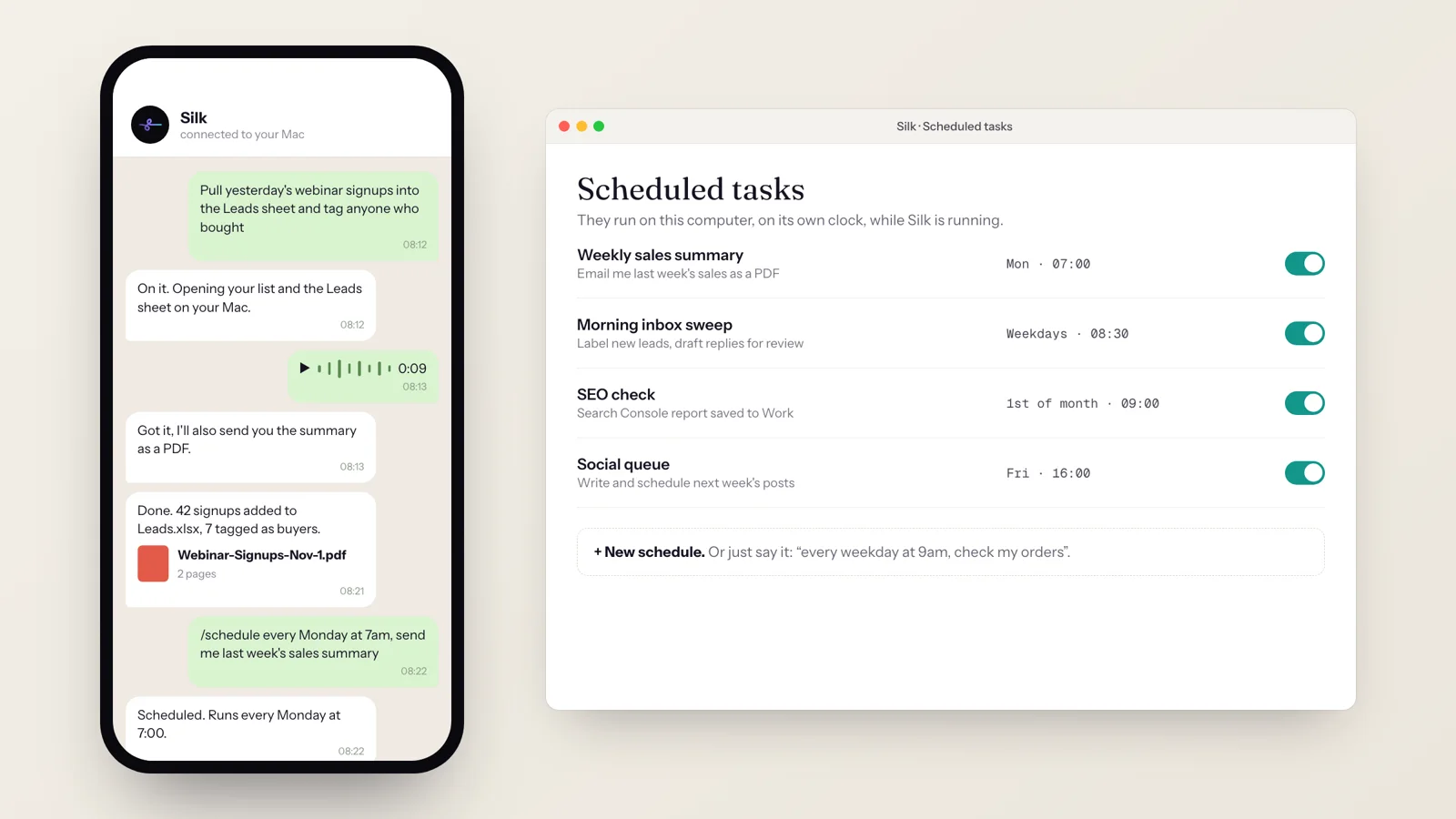
You ask
“pull yesterday's webinar signups into the Leads sheet, tag anyone who bought, and send me a summary PDF”
Silk does
- 01 Got your Telegram message
- 02 Opened your webinar list and the Leads sheet on your computer
- 03 Added 42 signups to Leads
- 04 Tagged 7 buyers
- 05 Made a 2-page summary PDF
- 06 Sent the PDF back to you on Telegram
You get
Leads sheet updated on your computer, and Webinar-Signups.pdf on your phone
Your computer has everything: your apps, your files, your logins. Your phone has you. Telegram connects the two.
127 Silk installs are paired with Telegram, and 19% of all Silk schedules were created from Telegram or by voice. So you can run your business from the car park, the school run or the beach.
What you get
- Message it like a person. Text or voice note, in plain words.
- The work happens on your computer, in your real apps and accounts.
- Files come back to your phone: PDFs, spreadsheets, reports.
- Send files the other way too, for Silk to work on.
- Schedules by message: “every Monday at 7…” and it’s set.
How it works
- Pair once. In Silk, open Telegram, copy the short code and send it to Silk’s bot.
- Message a job from anywhere: “find yesterday’s signups and update the Leads sheet.”
- Silk runs it in the background on your computer and replies when it’s done.
- Results come back as a message, with the file attached if there is one.
Things to try from your phone
- “Send me the competitor report for [company] as a PDF.”
- “Add the attached contacts to my CRM and tag them ‘expo 2026’.”
- “Every Monday at 7am, send me last week’s sales summary.”
- “Check if the client replied in GoHighLevel and, if they did, book the call.”
- A voice note on the way to a meeting: “Pull the last three invoices for this client and send them to me.”
Tips
Keep it awakeTurn on Start at login and leave the computer awake when you're out.
Be specificName the file, sheet or account. Silk remembers them after that.
Ask for the file"Send it to me" gets the result on your phone.
Use your skillsSaved skills run from Telegram with a single line.
See how this compares to ChatGPT Dots and OpenClaw, or read 10 ways people use Silk.
Questions
- Can I control my computer from my phone with AI?
- Yes. Pair Silk with Telegram and message it from anywhere. Silk does the job on your computer, in your own apps and logged-in accounts, and replies when it's done, with the file attached if there is one.
- How do I connect Silk to Telegram?
- Open Telegram in Silk's settings. Silk shows you a short code. Send that code to Silk's Telegram bot and they're paired. No terminal and no bot setup.
- Can I send voice notes?
- Yes. On the Pro plan, Silk transcribes your Telegram voice notes and turns them into jobs.
- Can I set up schedules from my phone?
- Yes. Ask in a message, like "every Monday at 7am, send me last week's sales summary." 19% of Silk schedules are created from Telegram or by voice.
- Does my computer need to be on?
- Yes. The work happens on your computer, so it has to be on with Silk running. That's also why Silk can use your desktop apps, files and logins, which cloud agents can't.
- Can I send files to Silk from my phone?
- Yes. Send a file over Telegram and tell Silk what to do with it, such as "add these contacts to the CRM" or "turn this into a proposal."