
Use case · WordPress SEO fixes
Fix SEO on your WordPress site with an AI agent
Silk doesn't just tell you what to fix. It logs into your WordPress as you, fixes headings, titles, meta descriptions and internal links on the live site, and reports what changed.
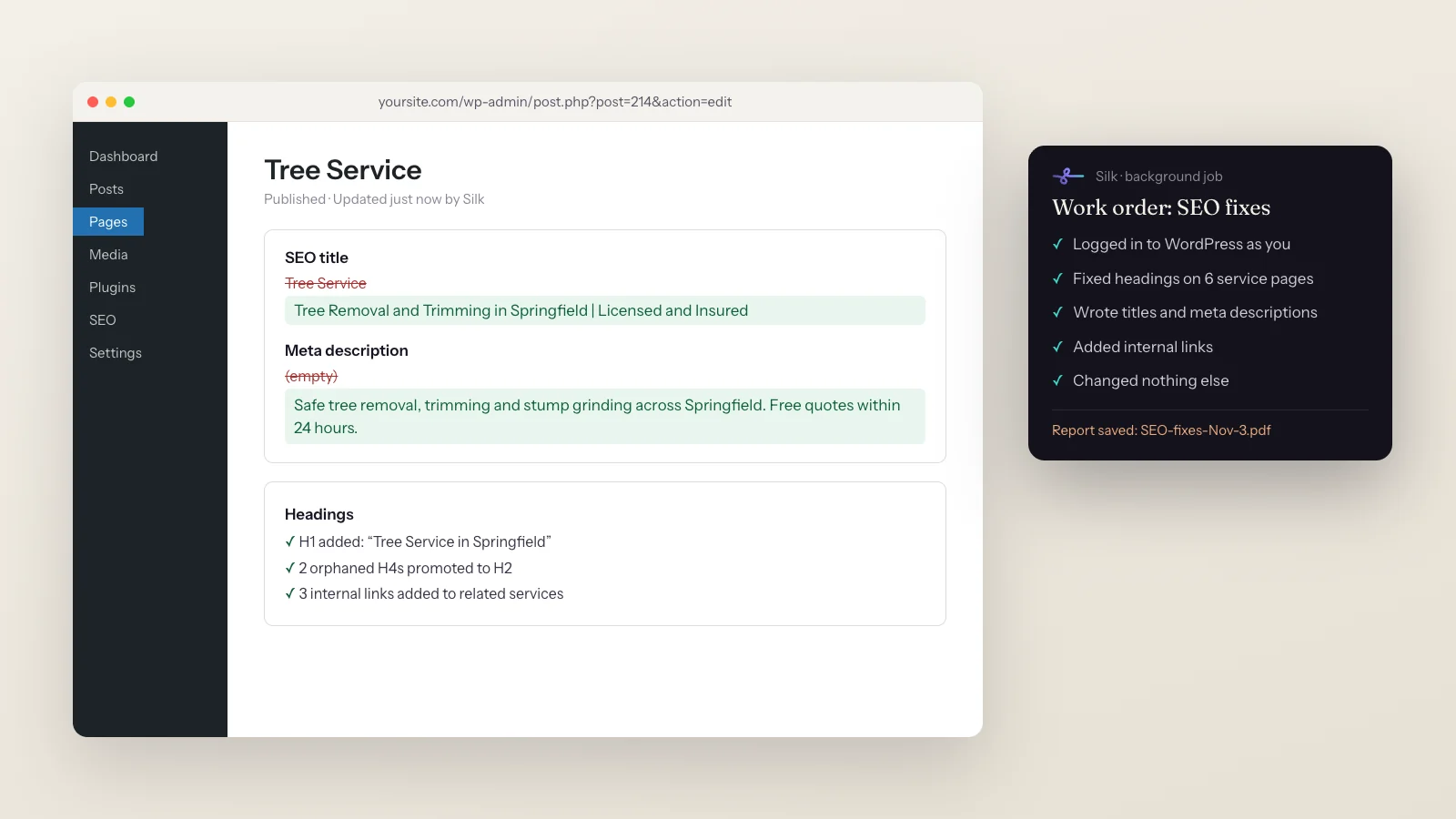
You ask
“fix the orphaned headings on the Tree Service and Pool pages, then the structural gaps, and update the SEO titles and meta descriptions”
Silk does
- 01 Opened your WordPress admin, already logged in
- 02 Audited headings on 6 service pages
- 03 Fixed orphaned and out-of-order headings
- 04 Wrote new SEO titles and meta descriptions
- 05 Added internal links between related services
- 06 Changed nothing else, and saved a report of every edit
You get
Six live pages fixed, plus SEO-fixes-Nov-3.pdf listing every before and after
Every SEO tool gives you a list. Then someone has to actually log in and work through it, page by page. That’s the part Silk does.
These are the biggest jobs people hand Silk: 424 SEO tasks from 26 users, each taking about 20 minutes and 263 actions of clicking and typing on a live website.
What you get
- Fixes made on the live site, not a to-do list.
- Titles and meta descriptions written for the keyword and the click.
- Clean heading structure: one H1, no orphaned or out-of-order headings.
- Internal links between related pages and articles.
- A report of every edit with before and after, so nothing changes silently.
How it works
- Give it a work order. Paste an audit, or write: “fix the orphaned headings on the Tree Service and Pool pages, then the structural gaps.”
- Silk opens your WordPress in its browser window, logged in as you.
- It works page by page, editing in the page editor and in your SEO plugin.
- It sticks to scope. If you said “change nothing else”, it doesn’t.
- It reports back with a list of every change, saved to your Work folder.
Requests you can copy
- “Update the SEO title and meta description on the Pricing page. Change nothing else.”
- “Go through all 6 service pages and fix the heading structure, then add internal links between them.”
- “Before this article goes live, research long-tail keywords for it and link the businesses it mentions.”
- “Every first of the month, pull my Search Console report and fix the three pages that lost the most clicks.”
Tips
Write a work orderSpecific pages and specific fixes get the best results.
Set the limits"Change nothing else" is a sentence Silk takes seriously.
Ask for the reportA before-and-after list makes reviewing quick.
Save it as a skillRepeat your monthly SEO routine with one line.
See 10 ways people use Silk, or what Silk is.
Questions
- Can AI make SEO changes on my WordPress site directly?
- Yes. Silk works in your own browser session, so it opens your WordPress admin already logged in and edits pages, titles, meta descriptions and headings the same way you would. It works with SEO plugins such as Yoast and Rank Math.
- Do I need to give Silk my WordPress password?
- No. Silk uses the browser session you're already logged in to on your computer. Nothing is shared with a cloud service.
- Will it change things I didn't ask for?
- Say exactly what's in scope, for example "update the SEO title and meta description and change nothing else". Silk follows the work order and reports every edit, so you can check them.
- How long does a job like this take?
- SEO jobs are the biggest jobs people give Silk. They average about 20 minutes and 263 actions each, which is the clicking and typing you'd otherwise do yourself.
- Does it work with Shopify, Webflow or Wix too?
- Yes. If you can edit it in a browser on your computer, Silk can too. People use it on Shopify product pages, newsletter platforms and site builders as well as WordPress.